A beginner game Part 1
I’ve been watching a lot of videos from the Indie Game Clinic recently and last night watched the video in which Joe references the beginner games he set up for the university course he used to run (youtube.com/watch?v=cf9xDdPXOA0).
This video was good for me to find, as beginners don’t often get enough direction on what kind of small game to make. Here he talks about these three projects:
- A Virtual Pet game
- An Action Scrolling game
- A game where you are paired with another in the class
The first one is relevant to me today - it’s a day before we start the Indie dev course and I want to try to make the Virtual Pet project today and see how far I can go. The goal is not to produce a fun/good game, but to understand interfaces and how much work it takes to implement a feature with interfaces involved.
I’m also making sure to start with placeholders, because I am art inclined I end up thinking I need it to look a certain way before I can make it work, which I have come to believe is a waste if you spend time making something look good you never end up making fun to play.
IndieGameClinic actually has a 2 hour lecture on interface I imagine will help for this but for today, since I have limited time, I will just implement the working parts - the needs of the pet, and buttons to satisfy those needs.
This blog entry is not really a tutorial but I’m writing a play by play of what decisions I make and it could be followed to some degree? I don’t explain much about the code though, so I wouldn’t call it a tutorial.
The constraints
The best parts about the projects he and his colleague set are the constraints. For this project there were a few:
- use placeholder images FIRST
- the pet cannot be what would be a regular or exotic pet
- make black and white art with only 1 type of shape to ideate
Placeholders
This habit I think is pretty important to get into, mainly because in my experience as a total beginner I would prioritise the art FIRST, before I knew what systems I would be making. Maybe that works for some people but in my own experience this led me to become overwhelmed quickly even before making anything work. I felt like it had to look really good before I could even write any code. This is a blocker to advancing forward so I’m trying to remove that blocker.
Using all placeholders to start should remove some perfectionism and make the stakes much lower to trying things out.
Unique Pets
I love this constraint a lot, because theming is a very fun exercise for me. The idea behind this was in order to allow you to reframe the genre to see it in a different way - virtual pets like Tamagotchis and Nintendogs are marketed to girls and women, but if you were to change the pet to say Godzilla or a necromancer it becomes a different feel, and there are different needs you’d have to fulfill rather than just feeding, cleaning and playing with a regular pet.
Ideating art
This one was an interesting one and one I feel reluctant to try, mainly because I do have a background in art but not wanting to almost tells me I should be doing it! I know I have had problems with presenting work I think is “ugly” but it is to try a new process, not to make something beautiful.
To expand on what this means if you haven’t watched the video: make a version of the art you envision with circles only, then another version with squares only, and then a version with triangles only. It’s not going to look great and its probably going to be pretty awkward but I do feel that is the point. Additionally it can only be black and white, no greys in between.
Hold up! If you want to give this project a go without seeing how I did it first I suggest stop reading here and having a go yourself!
The implementation
As far as making games goes, I have almost always followed a tutorial to make them except for a recent Ludum Dare I joined and a card game I started early this year. I know how to get interactions working but I’m not 100% sure on handling game states or saves yet. I have seen that most tutorials make a GameManager script singleton that has some enum to hold on to states - is that all though? This is in Unity because I am most familiar in it. Either way that’s what I’ll be doing for this, doing what I can today. People talk about spaghetti code but I’m just going to remind myself about the giant if else blocks in Balatro. I don’t want the endless chase of elegant code to be yet another blocker to me actually shipping a game. So my Game Manager needs to hold on to the pet’s 3 needs current status, and the pet’s actual status. It also needs to tick the counters for the needs up/down on a timer and have buttons to “solve the needs”.
The idea
I dreamed about this last night and remember that I went to start this project with 0 idea, and in an impulsive shout I yelled the pet would be an Oil Lamp. Because I’m feeling up to following constraints today I decided that I would just take it and go with it. Turns out there are a lot more types of oil lamps than I imagined thanks to that Wiki article. The one in my head was actually a modern glass oil lamp, and I think I’m happy to stick with that.
But what does an oil lamp need?
As far as I can see, and Oil lamp needs oil, and a wick. It probably needs oxygen so the flame doesn’t get snuffed. But that’s fairly pedestrian. What if this lamp was alive? What would the marker of happiness be? Probably how big the flame is. Maybe a lamp doesn’t need to be cleaned if it’s glass and gets covered with soot. The room could be poorly lit if the lamp is dirty. Maybe you need to turn the wick every now and then to make sure there is enough wick to burn. Watching a video on oil lamps is teaching me how they work in real life. But as Gabe Newell said, “Realism is not fun”. I have room to move in this and I don’t want to work on this for that much longer so I’ll make a decision. The needs can be these:
- Fuel
- To be clean
- To read
The last one is my idea of what fun would be for a lamp. I want to personify the lamp at least a little bit! It needs it to be bright and clean enough to read, maybe it loves cheesy romance novels or high fantasy. That, to me is more interesting than “just add more of this other thing to run out”. Speaking of which, a wick is involved in an oil lamp but it seems it’s more for the size of the flame, and the turned seems more like an on-off switch. This is another need that to me just reads like one extra bit of fuel.
Lets get to the making
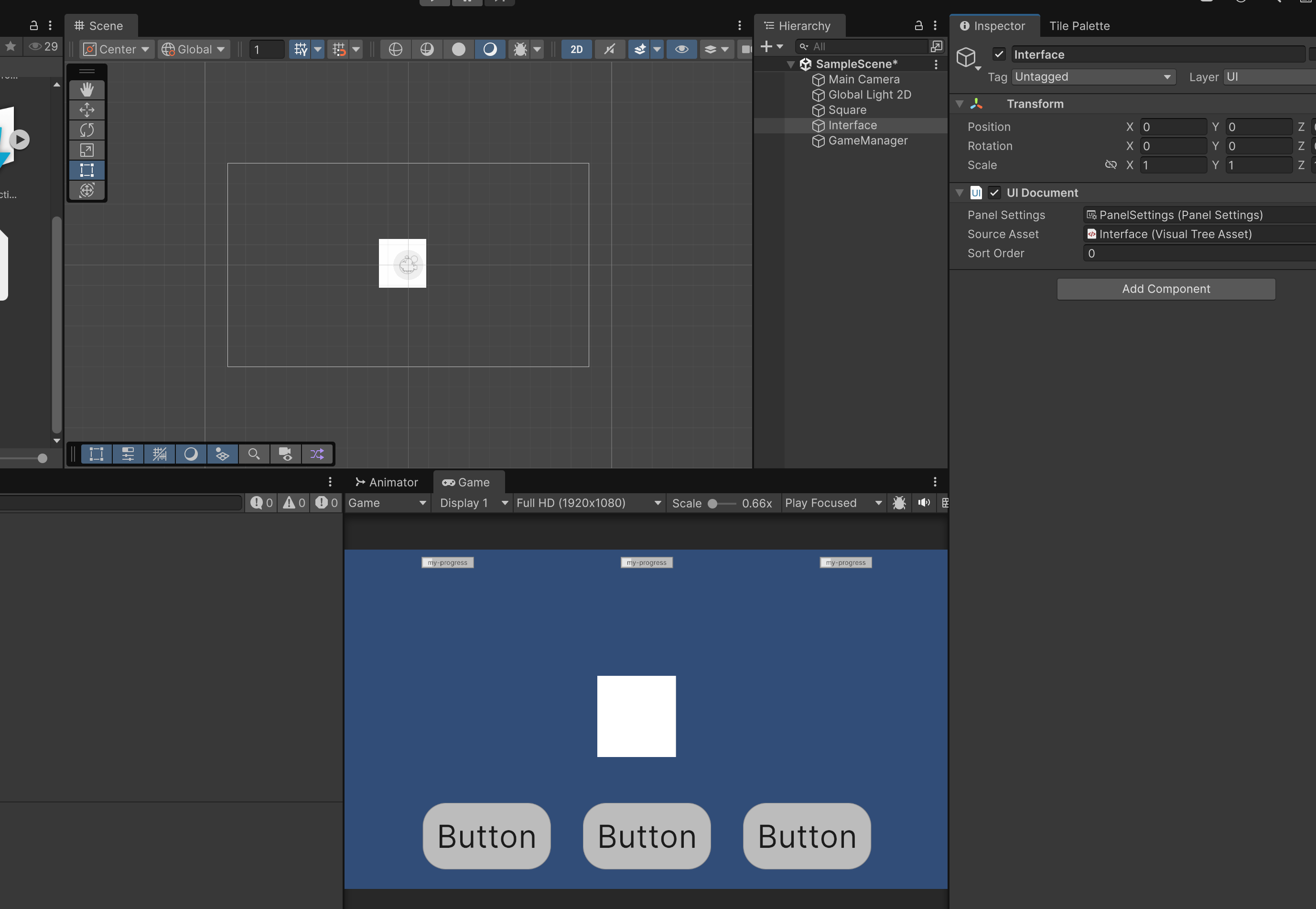 If it’s not clear, I am writing this as I work on the project so this blog is actually my real time thoughts, with so far very little editing. So far I’ve started a Unity Project in version 6.2 and made a square sprite object and a UI Toolkit interface, because I actually like the new UI after wrangling it a bit for the Vampire Survivors tutorial I’ve been following. It’s actually very close to html/css, and the binding, while it can be kind of confusing is actually much more simple than I had originally thought. I may do a blog post on that because watching all the tutorials on it did not enlighten me at all. I had to go and look at example projects to really understand.
This is the bare bones:
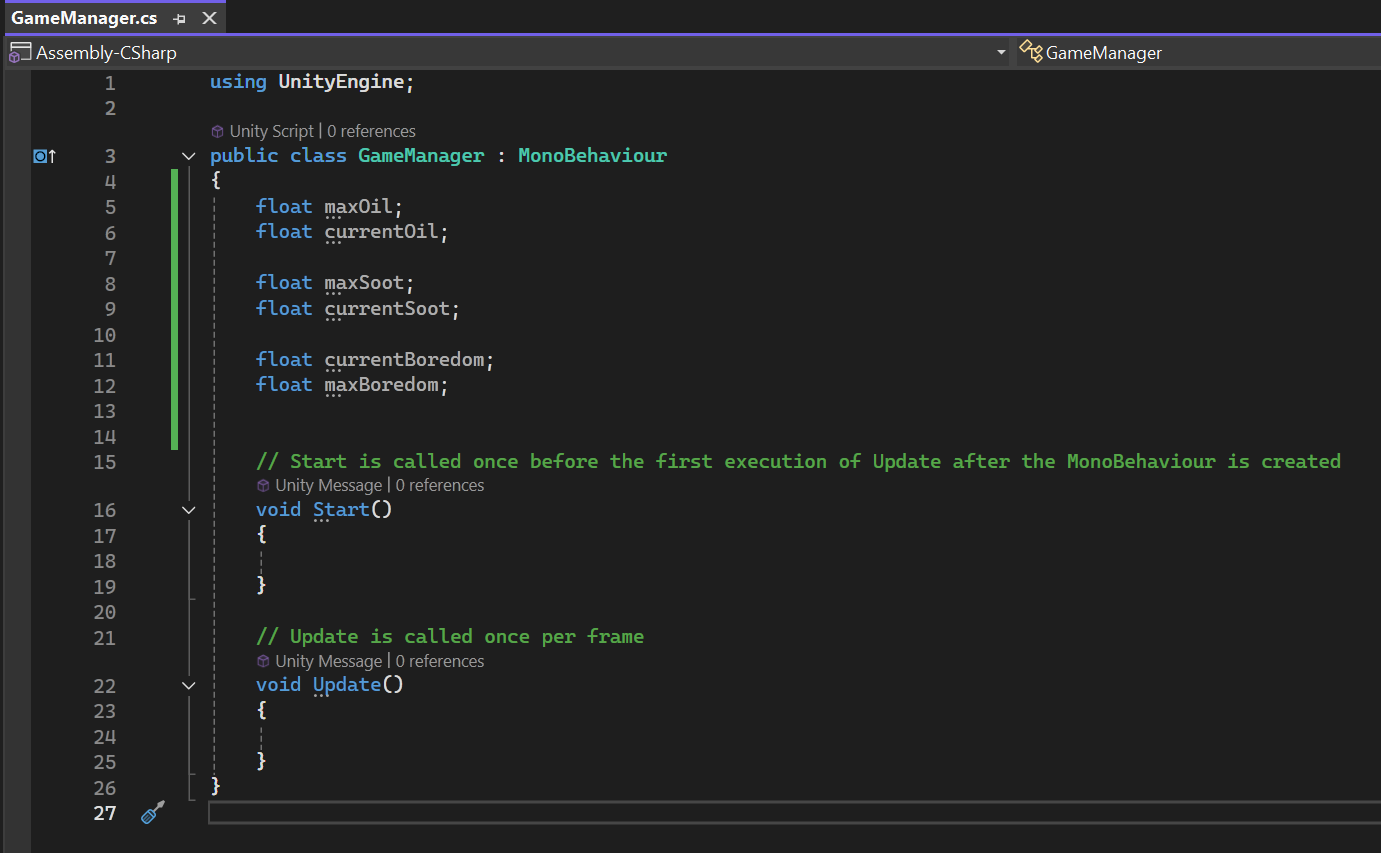
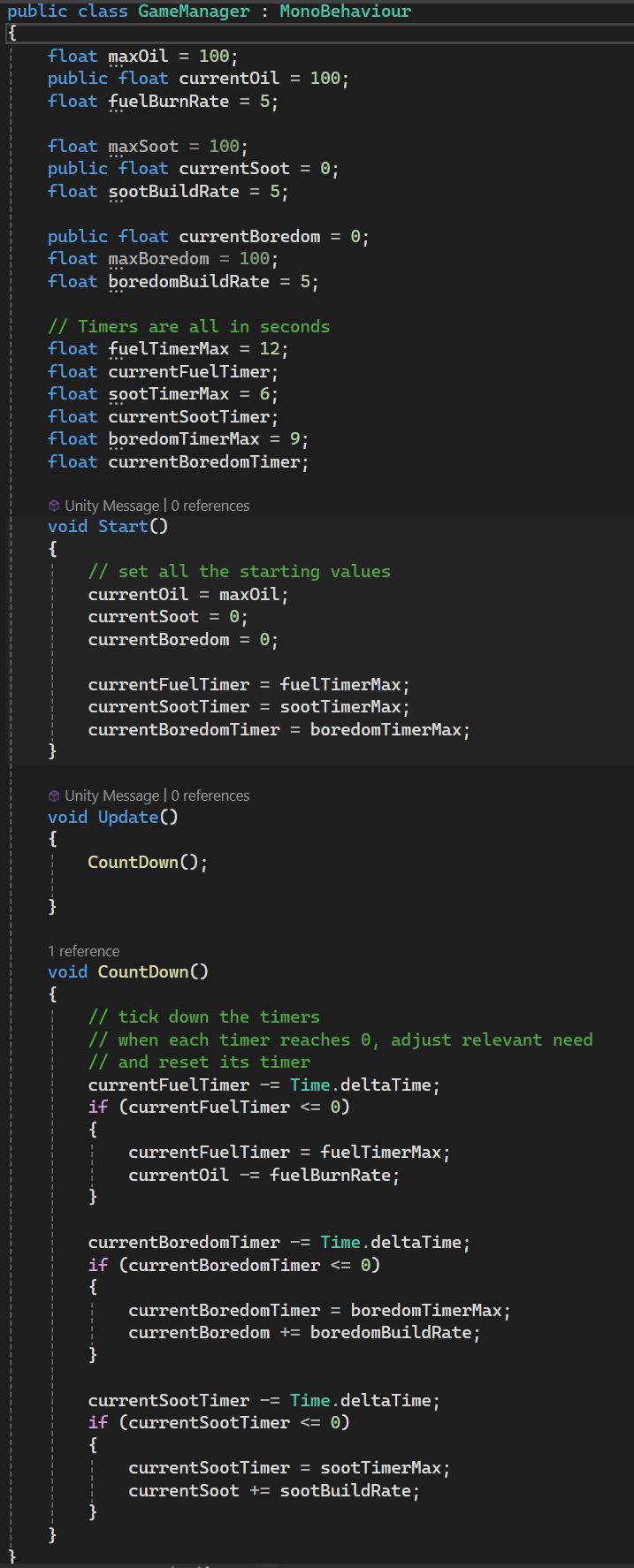
I guess the next part is to make some tick down counters because the fuel will be used up, and it will get sootier. It will also get “bored”. The code is timers that add or remove a number to slowly grow or decay a value, so what I have here is that every 12 seconds 5 gets removed from the current oil, which starts at 100.
And here is a video of the numbers doing something:
It’s not very exciting but it is doing what I want with the numbers in relation to time!
The next step to me seems like I should hook up the buttons to “address” the concerns of the pet - that is, reset the numbers back to the defaults. So if my lamp isDirty I can Clean() it to set the currentSoot to 0.
So now I can rename my buttons on both the ID and the button display text:
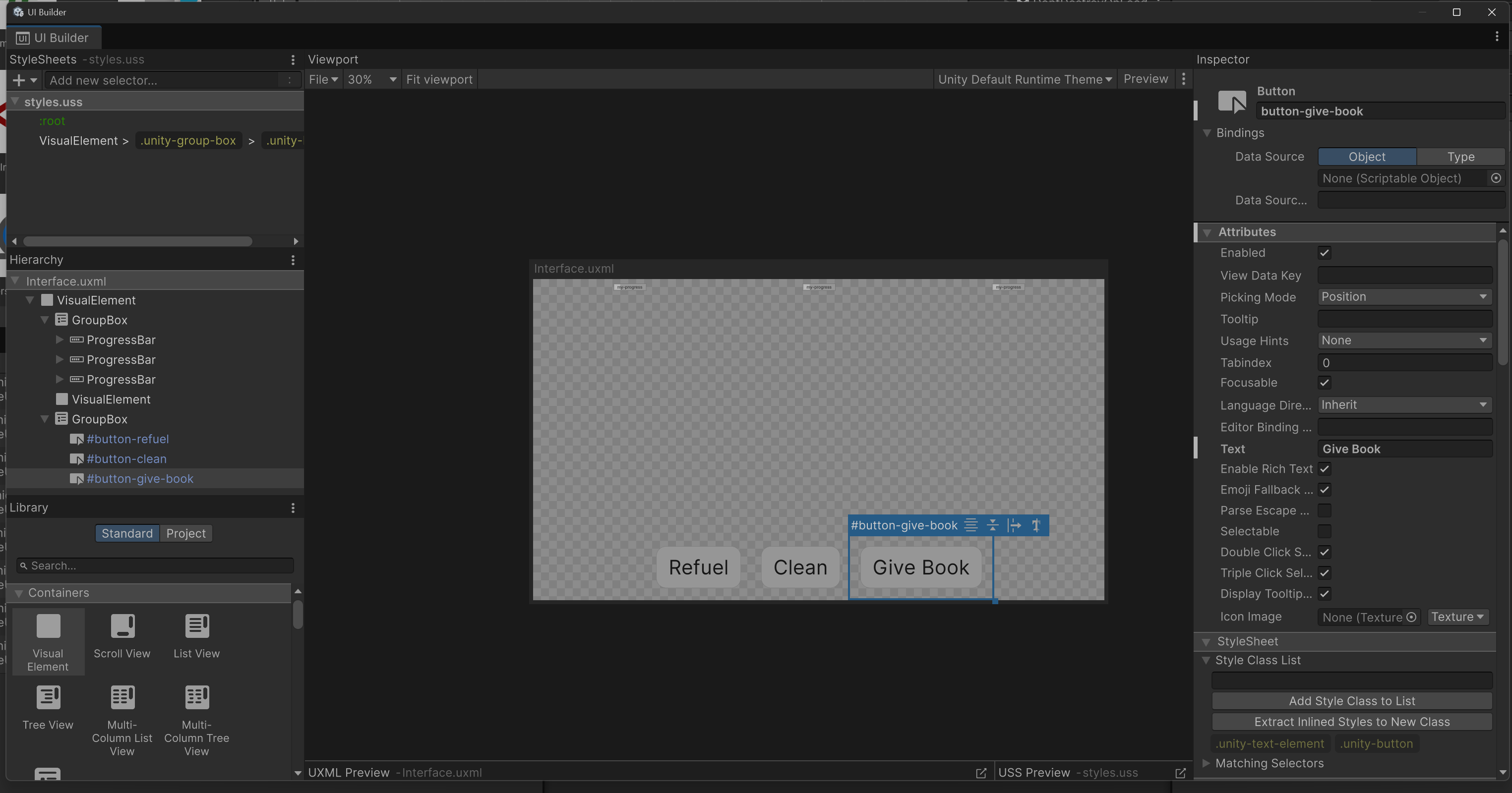
And now I can hook up the UI buttons to a new script with Debug.Logs for now:
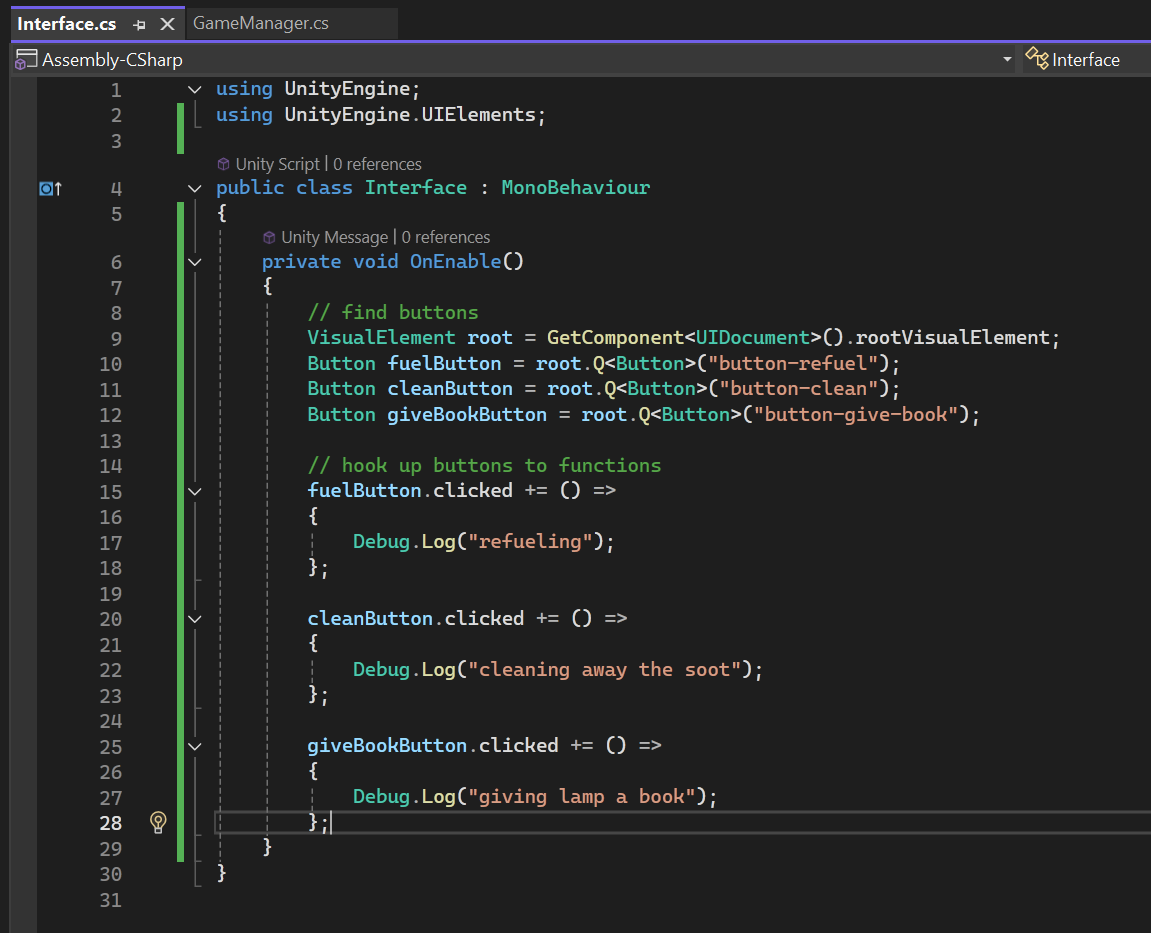
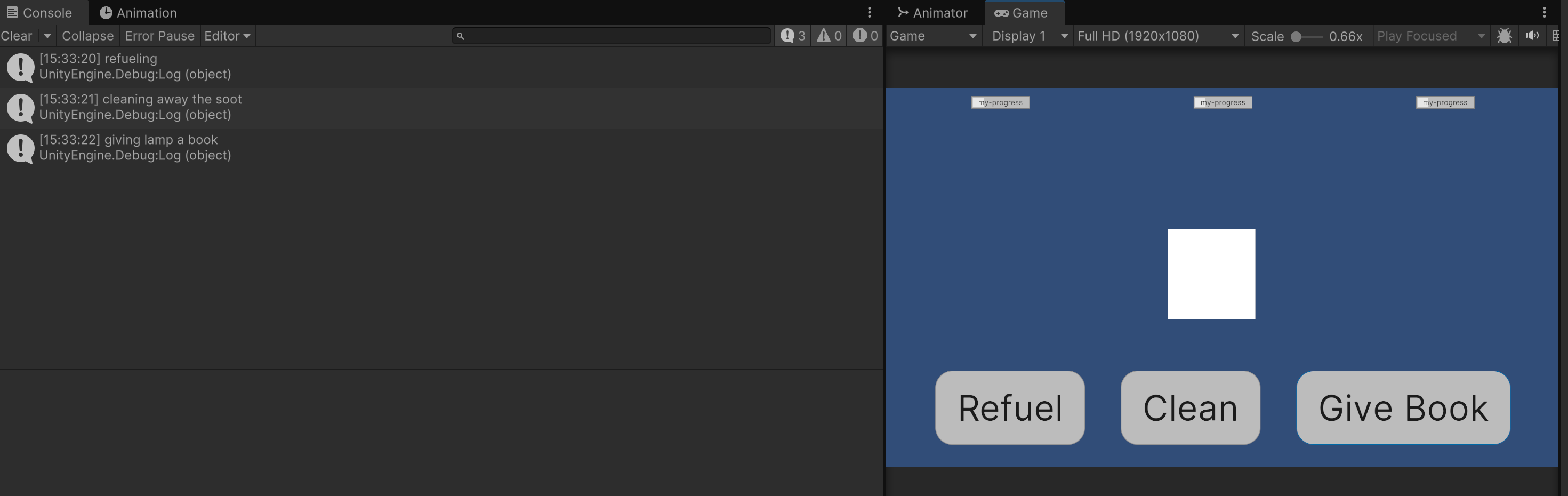
I like making new scripts for UI just to keep them separate, which is why I like using the UI toolkit instead of canvas. And if I go to test it, the logs are working when I click the buttons:
So now I need the real functions to run. But I haven’t written those yet, so I’ll write it back in the GameManager.cs:
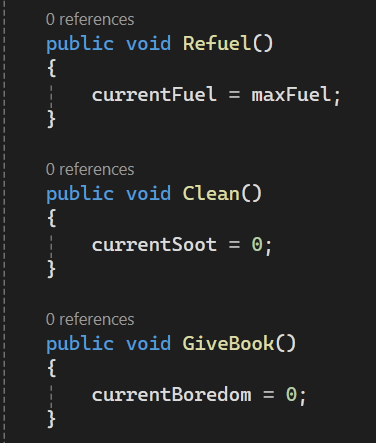
These just reset the values back to the starting ones. At this point I also make the GameManager a singleton so I can access it in any script by plonking this in the onEnable:
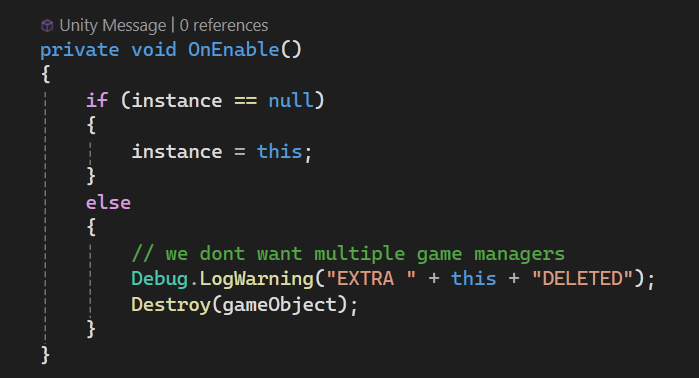
That lets me place the reset functions into the Interface.cs like so:
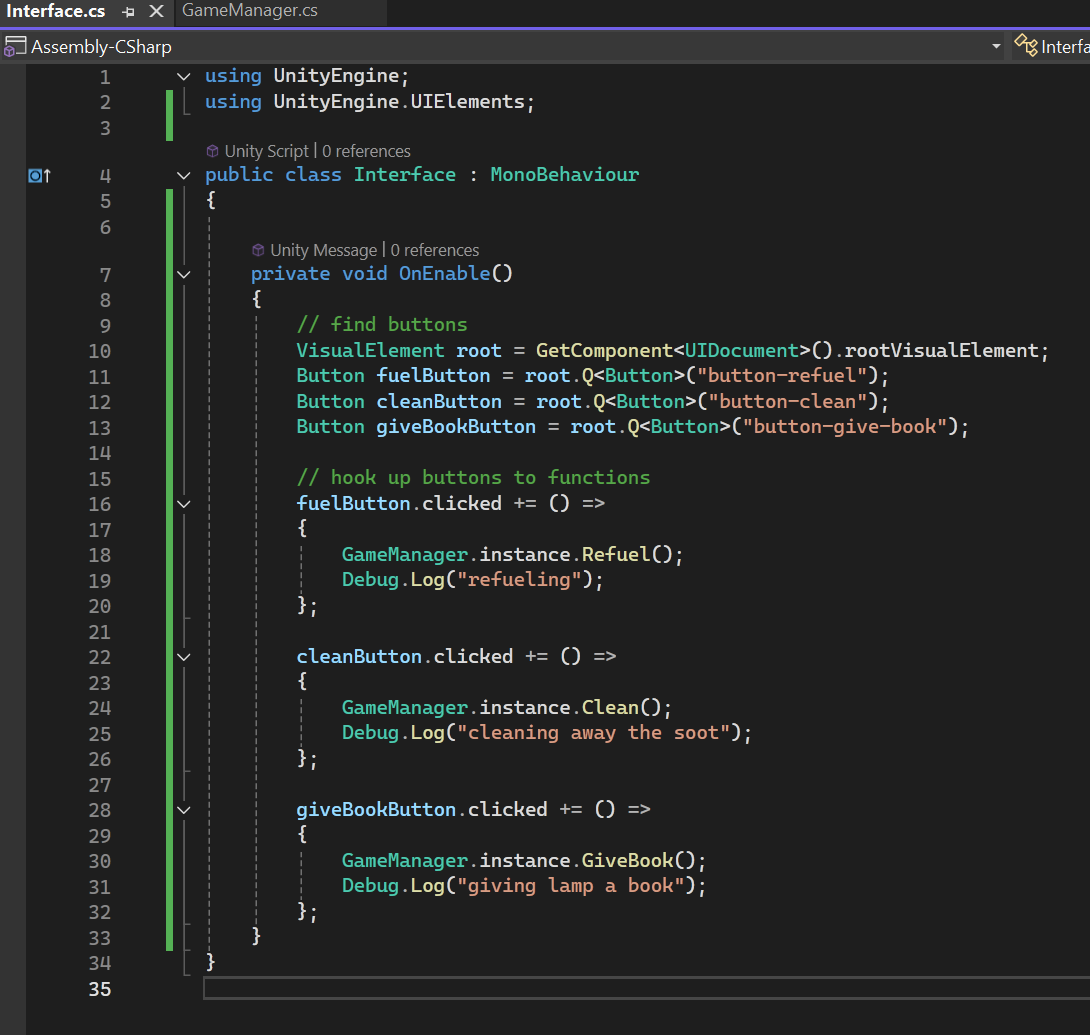
And when I test it, the right buttons reset the right values:
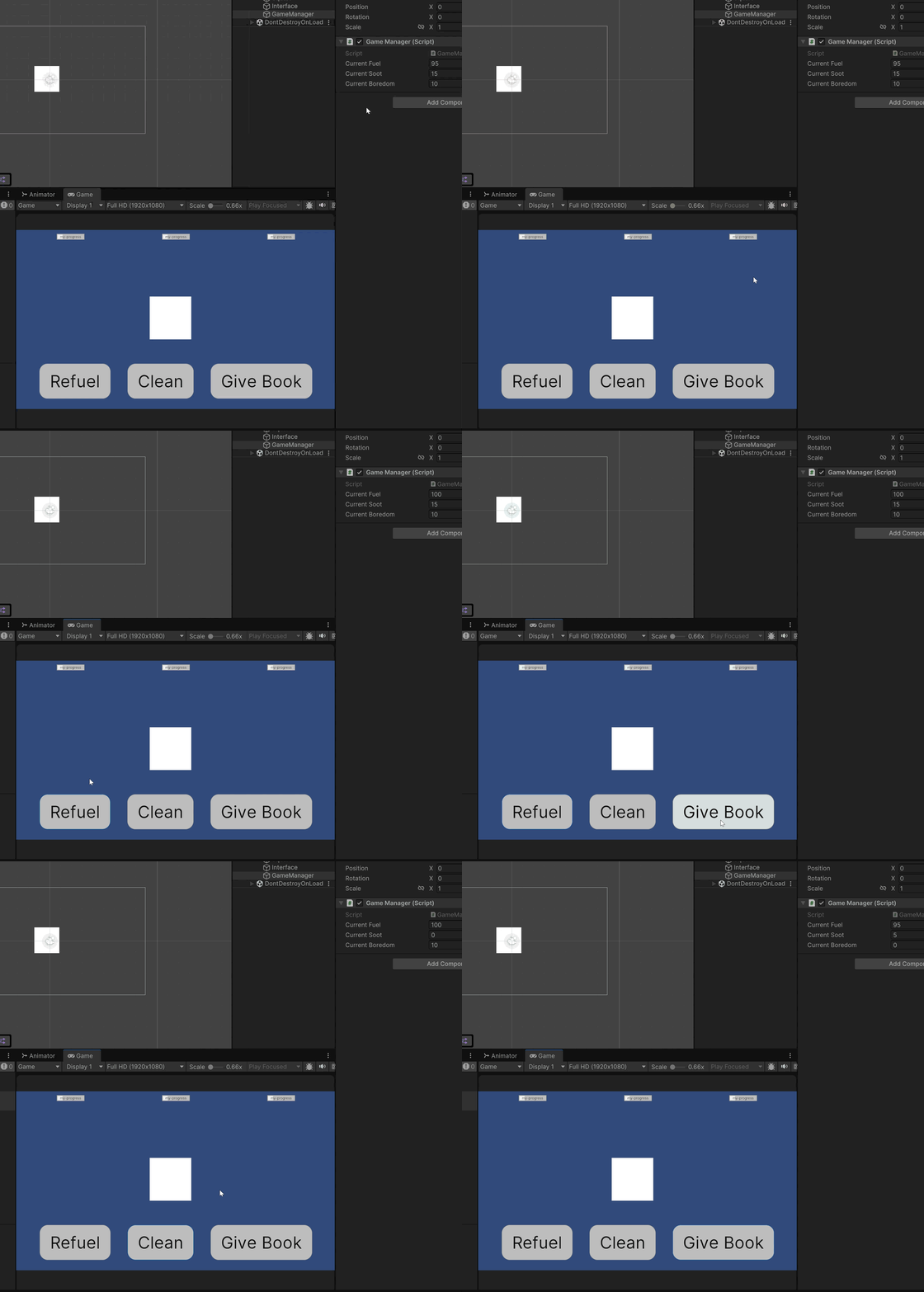
This is pretty good so far. I haven’t had to look up any tutorials yet, but i have looked at my old code to get the code for the singleton pattern and the setting of button functions.
I think there should be some condition where it cannot read if it’s too sooty. I remember having an off brand virtual pet and it would shake its head to refuse something I offered, which may be a fun thing to implement.
I also need to add a state machine to show what state the Lamp is in. It’s an interesting problem because really, a pet can be dirty and hungry and bored all at the same time. So the choice is whether to represent them all at the same time if possible or just have one hold priority over the others.
The easy option is to just be one at a time and check when moving states if it needs to be one of the other non content or idle states.
I actually have run out of time today since we have friends coming over to watch Celebrity UK Traitors. I’ll come back to this either tomorrow if the Ultimate Indie program doesn’t need a whole lot of work.