Ultimate Indie - Week 4 day 3 Boba Tycoon Prototyping
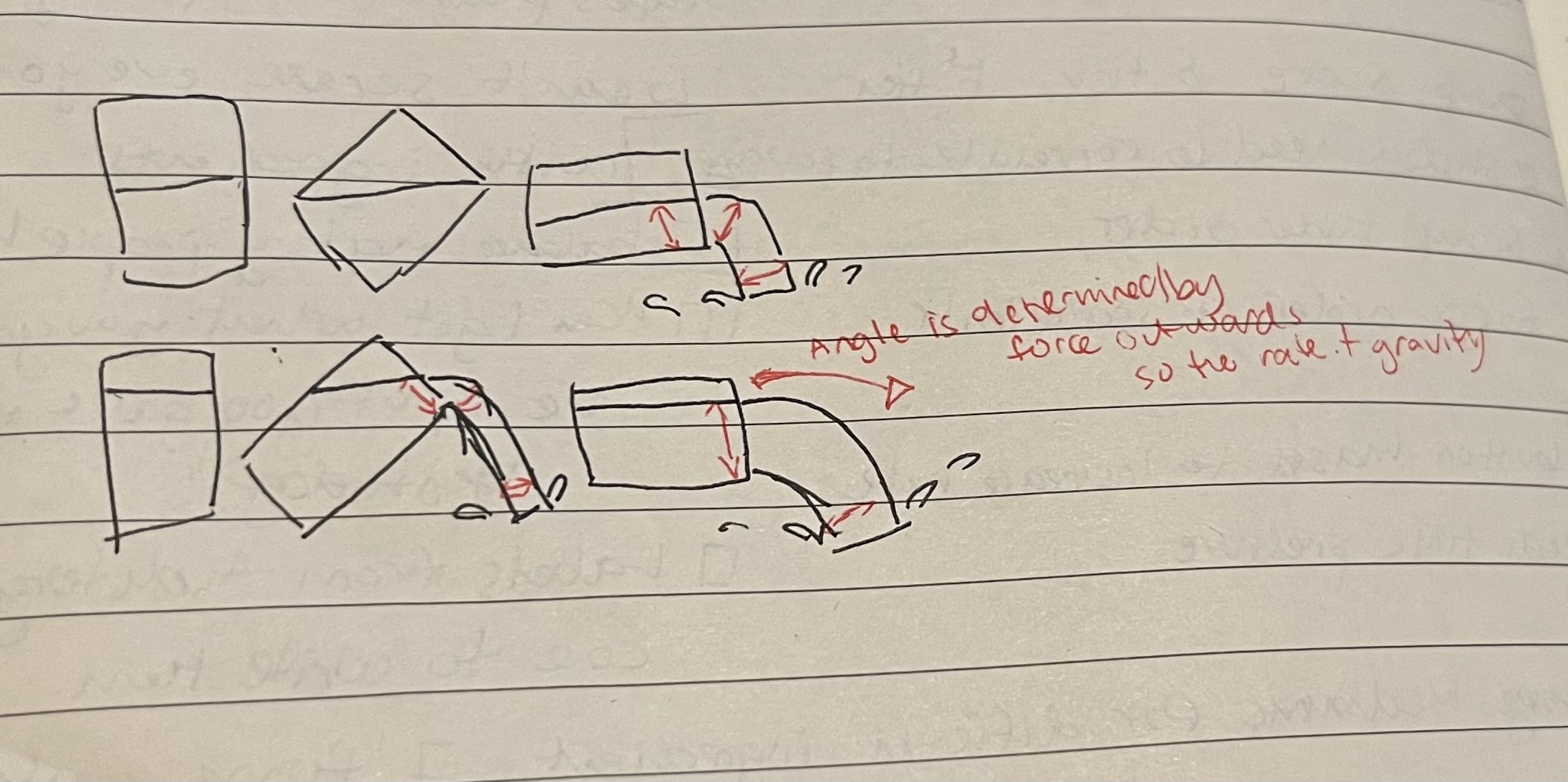
The downside of this cool layout is that it seems to be a bit finicky on updating content. I’m going to keep writing these anyhow because I actually stay well on task when I do them. Can you believe that this is the 15th entry already? I almost can’t 😄 Small things add up.
Tipping angle
I wrote a little about the tipping angle yesterday and I think I have an idea to go about it it will be about the current volume/max capacity and the height of the lowest opening when tilted. When I cant figure out something with writing, normally a little diagram helps.
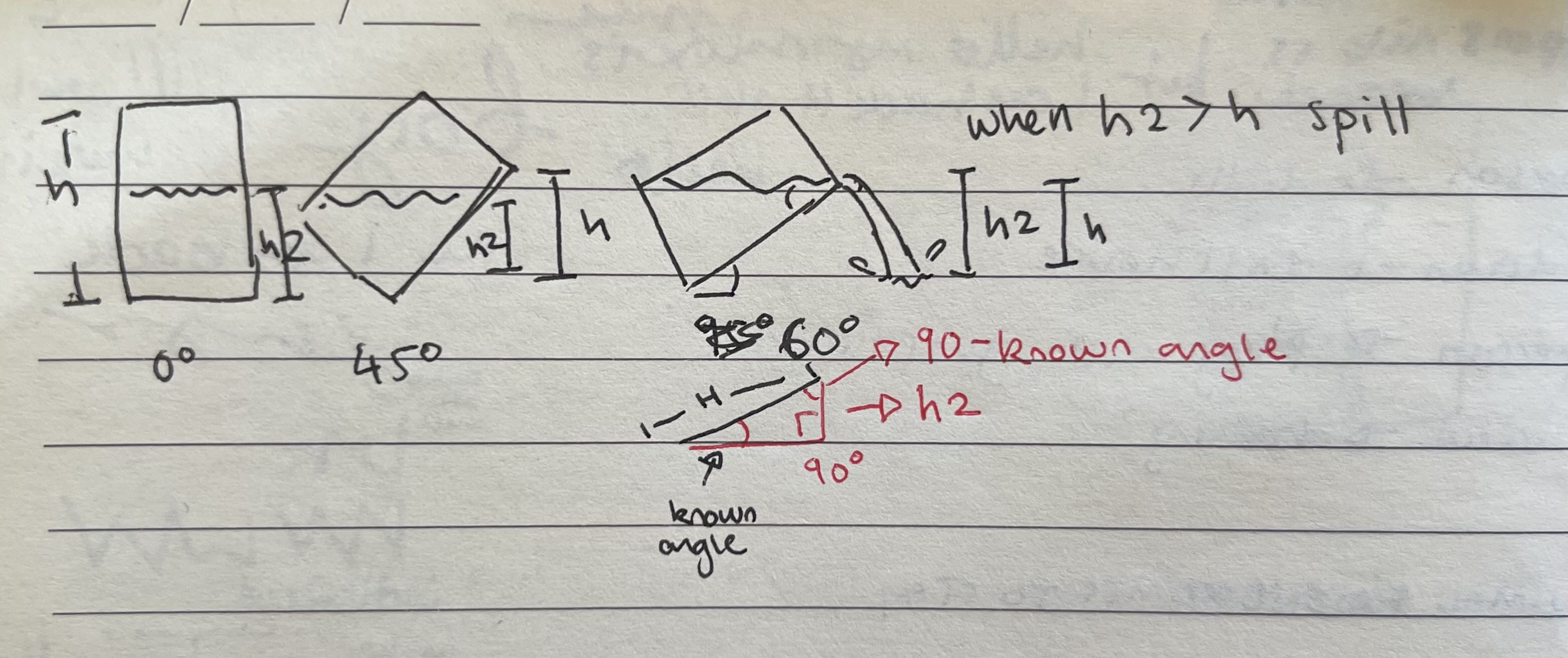
This looks very similar to the top image, but it’s more about figuring out geometrically how to know when the water should come out. So in this diagram it’s when the height of the liquid is higher than the height of the lowest lip. Looks like I can get the height of the lowest lip from:
 I only half paid attention in maths class
Ahh google/brave brings me SOCAHTOA memories. I don’t remember exactly what it means but I’m sure it will come back after reading a bit.
AAAAALLL Right after some reading and some notes and a bit of asking ChatGPT I have it.
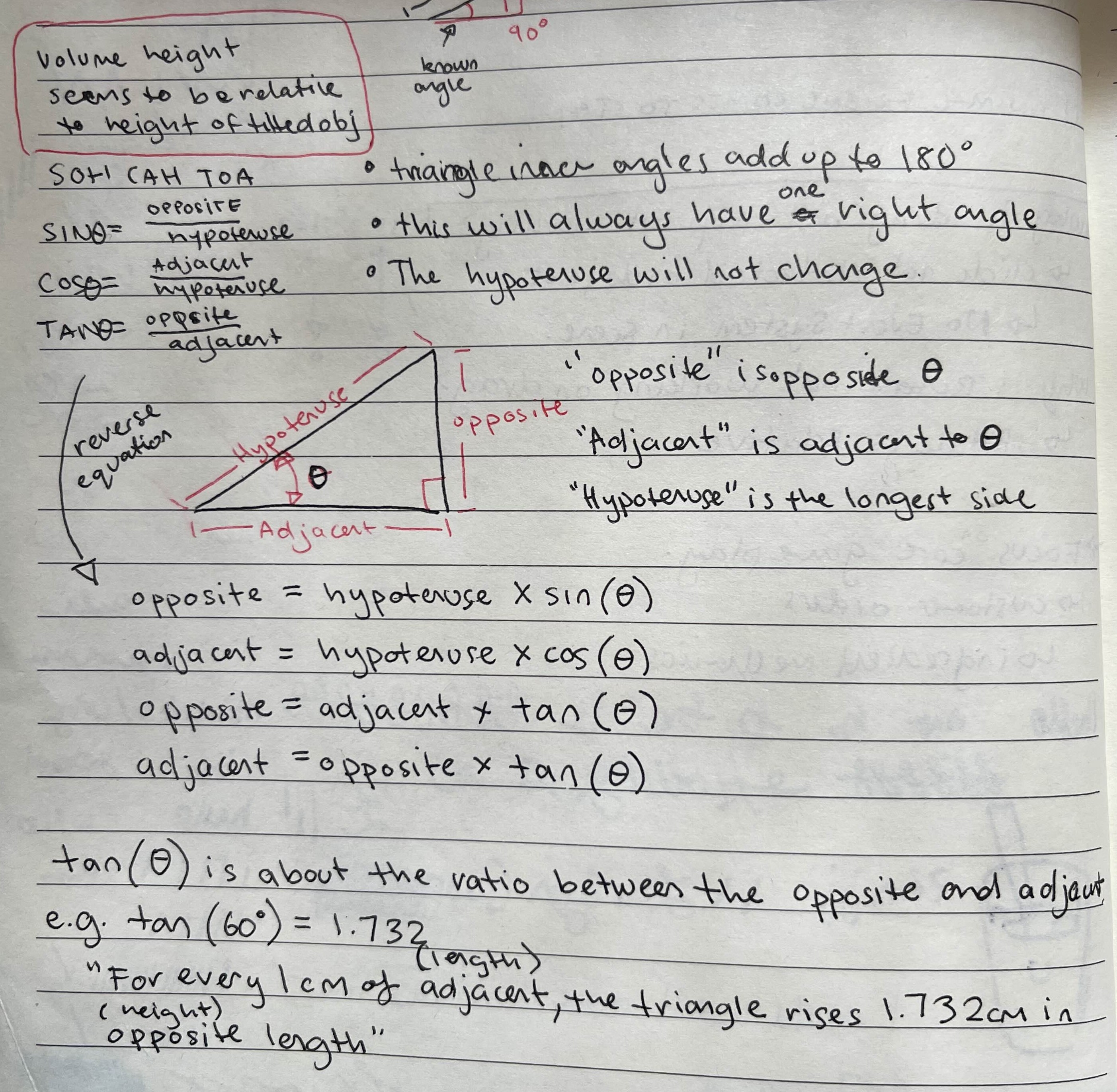
I need the opposite side of the triangle and I have the hypotenuse and the relevant angle(theta).
\[\text{opposite} = \text{hypotenuse} \times \sin(\theta)\]If a jug is 20cm tall, and it’s tilting at 60 degrees, the height of it’s lower lip will be:
\[\text{opposite} = \text{20} \times \sin(\text{60})\]Which ends up being
\[\text{17.32} = \text{20} \times (\text{0.86})\]That means that the glass is tilting down only a little - the lip is lower than the upright height by less than 3cm. I think I forgot to figure out what the angle at the bottom would actually be. If I make it 30 degrees here instead it becomes
\[\text{10} = \text{20} \times (\text{0.5})\]This means when the cup tilts 30 degrees from the bottom corner, the bottom lip is at halfway of what the upright height would be. This makes sense to me because this angle is the opposite of the tilt angle I’m calculating in the drag and drop jug code. While figuring out the triangle I observed a few water containers and it seems like for vessels that are not really irregular the volume’s height ends up being the same ratio to the height of the vessel if it’s tilted.
So if you have a glass half full and tilt the glass, the new full height is the bottom corner touching the table to the top lip and the water will be halfway up from the bottom inside corner of the vessel and the top lip. This will be different for different shaped glasses but I’m just going to pretend everything is a perfect cylinder for now.
Now to implement this in Unity:
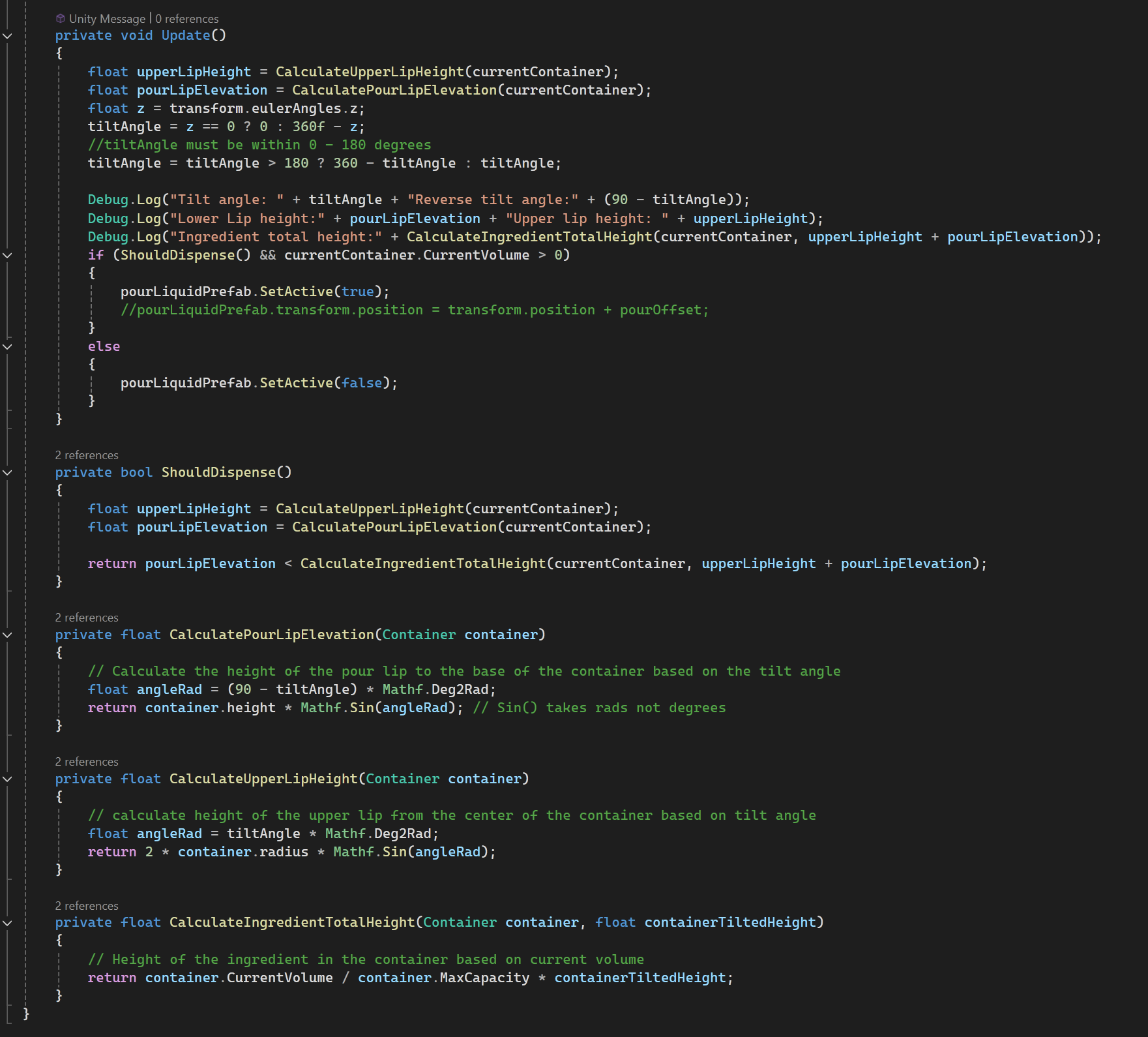
My god that took longer than I expected. I didn’t realise the Unity’s Mathf.Sin etc expects radians instead of degrees. I didn’t really know what a radian was until I looked it up after finding that out. There was also a bit of tweaking with the eulerAngles to get the right tilt angle for the calculation to work as expected. It’s so little code for the brain juice I squeezed out for this calculation haha

I don’t mind if this isn’t fully accurate, I just want something that “feels” right when you play it. And I do have it partly working now:
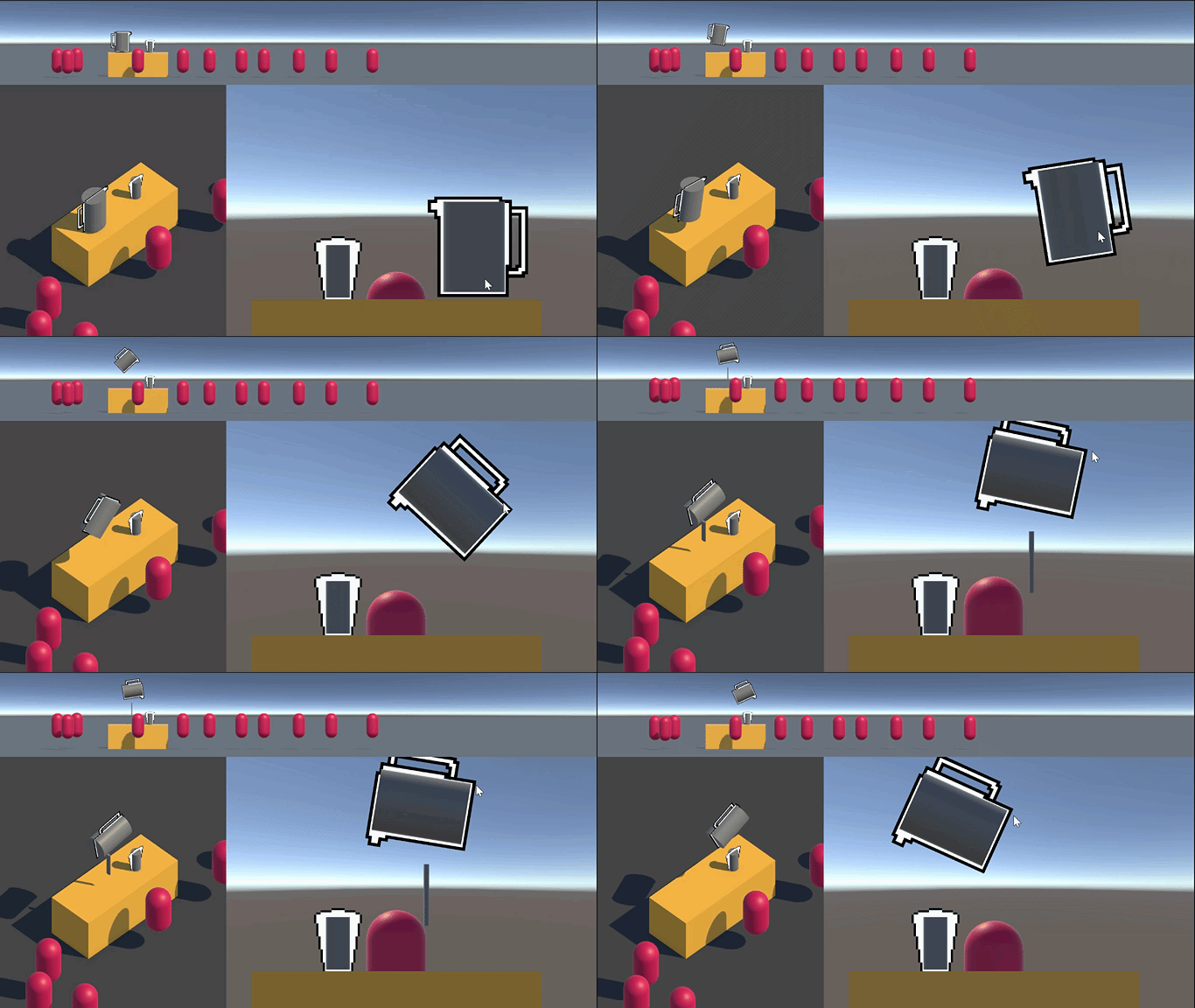
The pour object appears and disappears at what I think is the right tilt angle. But it’s not attached any more because its a hinge joint and it looses the connection when it’s activated and deactivated. This is a pretty damn complex mechanic to get working. I have looked at other solutions that exist on the asset store but I really didn’t like how they looked or worked. At least I got a complex one out of the way?
This one already feels a bit nicer than the abstract slider though. I have tested that the pour object goes away when the liquid pours out enough to not be over the pour lip!!
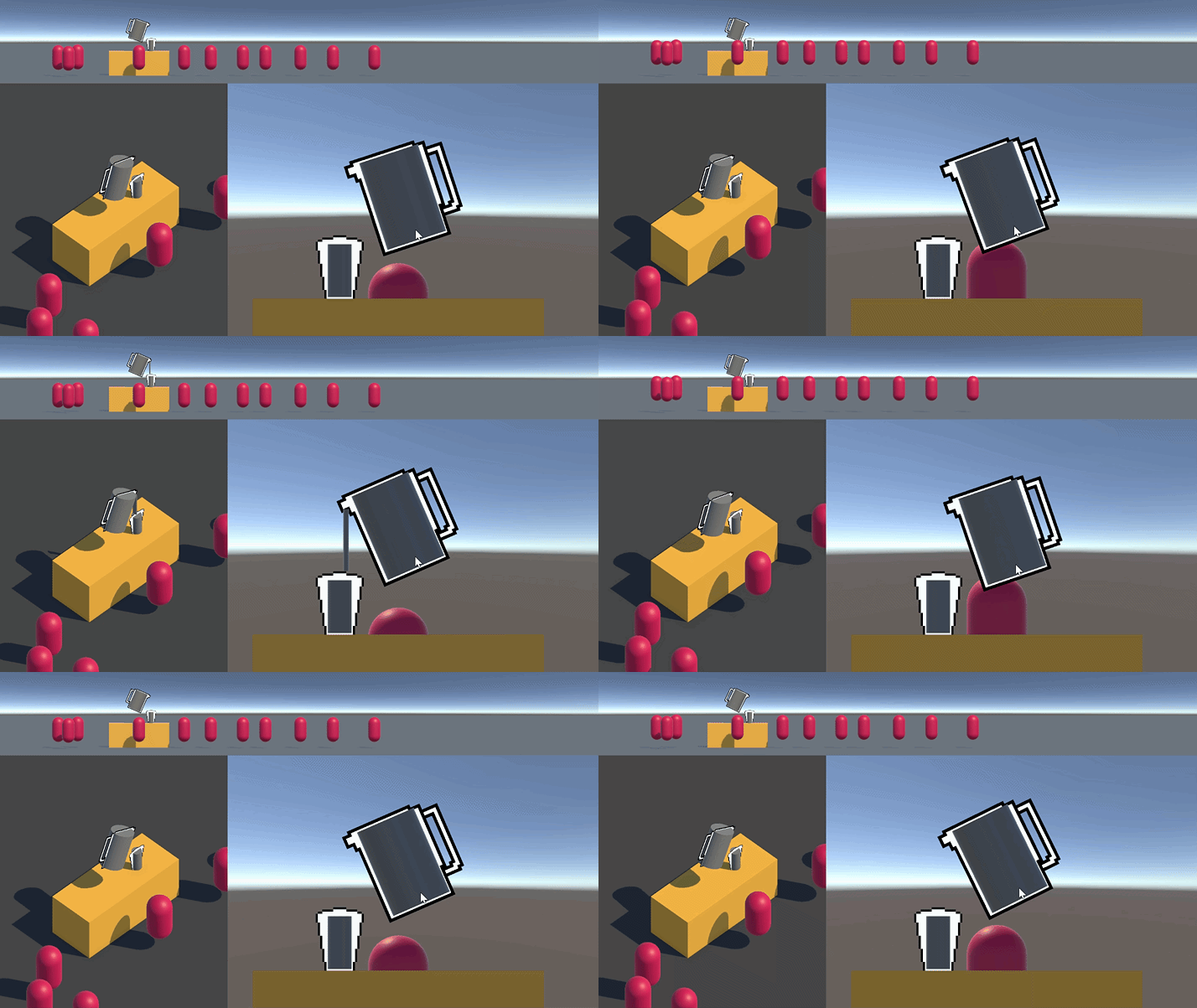
Awesome. Can’t wait to get it hooked back up to some code that gives it to the customer and shows money and stock. I had a thought to add decanting just then but god it can get so complicated.
One time at the coding boot camp I studied at, I had a project that was meant to help with clothing sizes but I got so into the details that I found out what a clo unit was. I actually wanted to add a feature where it would get the weather and help you figure out how warm you had to dress(I will over layer or be too cold a lot). I wanted to implement it but I had to hold back because we only really had a week to do it. That is also one reason why I really appreciate that The Long Dark has warmth rating measurements on their clothing 😄
I’m pretty happy with this so far, I didn’t think I’d be able to figure this out at all but I’m glad I did. Truth be told I did try to ask the AI but the solutions they gave me didn’t look right, so I decided to figure it out myself. It’s so much better to be able to debug the code you understand! I’ll stop again for now since It’s getting late and I value my sleep! 🛏️