Ultimate Indie - Week 3 day 7 Boba Tycoon Prototyping
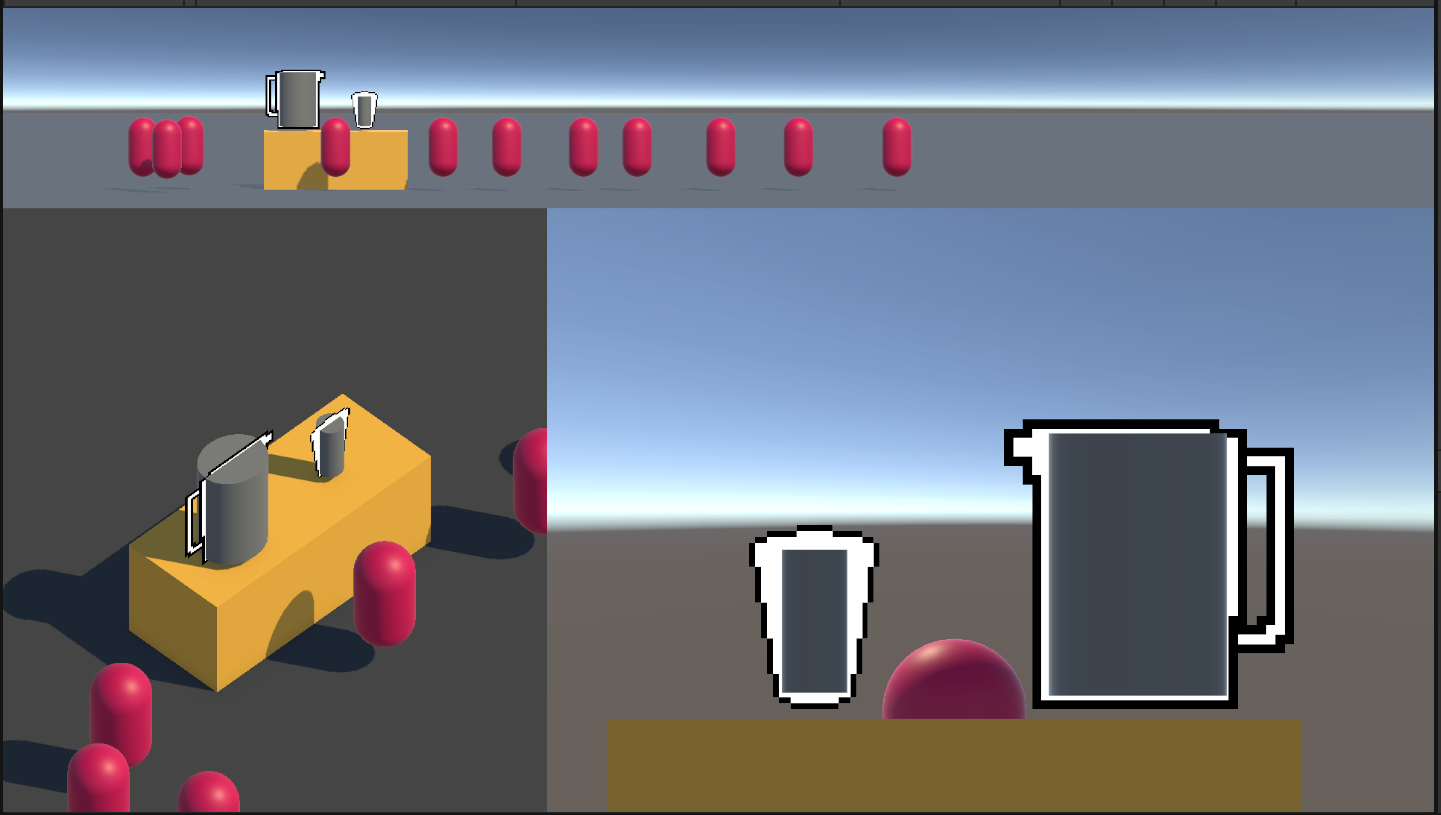
I have got quite a small amount of work done this week which is a little disappointing to myself but I am happy I spent a bunch of time with friends outside!
I spent a bit of time looking up fluid sims, the pixel art style and also fountain pens because Vanessa, the friend who is visiting opened up my eyes to the world of fountain pens and it has begun something dangerous 😂 I even talked to some of my family members and turns out they had some very nice old fountain pens they did’t use any more so I got given them! I went from 1 pen to 5 very quickly haha.
I need to push those aside for now to focus on the prototype. I was pretty knackered when I finally got to working on it on Friday so not a lot was going into my head. My current focus is to get a jug pouring mechanic.
Dragging and Dropping
What I was left on at the end of Friday was a cup and a jug that was no responding to my clicks. I didn’t consider that the dragging events were going to be a different system to the UI Toolkit ones. It’s fine though. The concepts with be the same, I just have to learn a new API in Unity and it’ll be all good.
With a little Googling it seems like I needed these things:
- Drag Hander interfaces on the script attached to the object
- A collider on the object
- A Physics raycaster on the camera
- An event system GameObject to be added to the scene
I had most of this but was actually missing the Event System. There was nothing to listen to the drag events, and being new to Unity I wasn’t sure if that was inbuilt. Now I know 😄 Now with all the pieces I have:
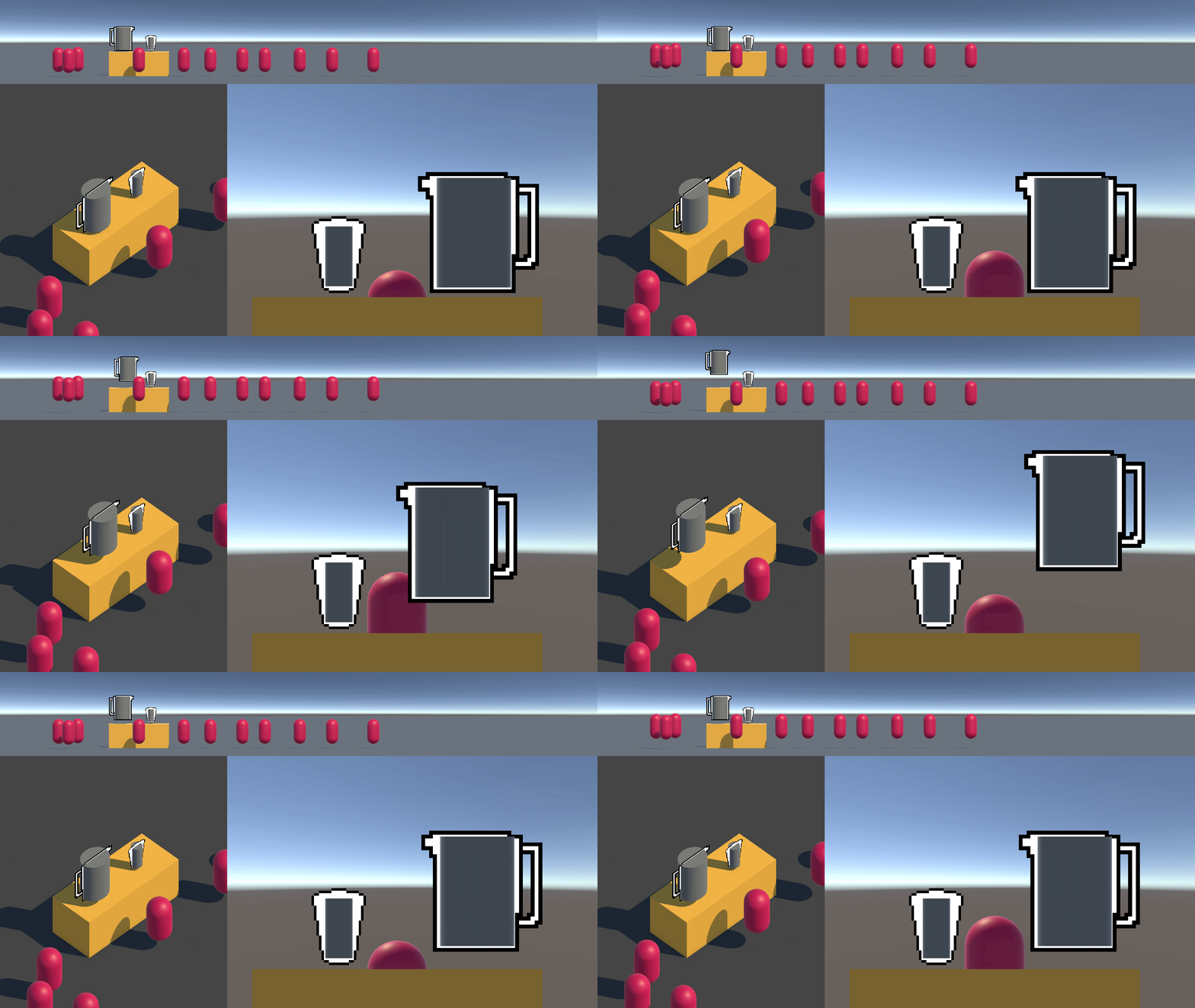
The beginnings of a working drag and drop! Funnily enough you can click one of the other views and move the jug too because I left a physics Raycaster on the top camera. I’m not 100% sure if I want to keep it 3d but I think it would be funny if you can see what’s happening in real time from multiple angles.
I’ll write my next steps to keep on track again:
- Change the angle of the jug when you lift it higher
- Fake the liquid leaving the jug
- Fake the cup receiving the liquid
- Fake the spilling
Rotating the jug
I’m not sure how much I’ll get done on this today but I’ll give it a good focussed go. I finally feel like I am not so distracted so I can give it a good go. I tried asking copilot but it really didn’t give me much that worked so I tried a few simple things:
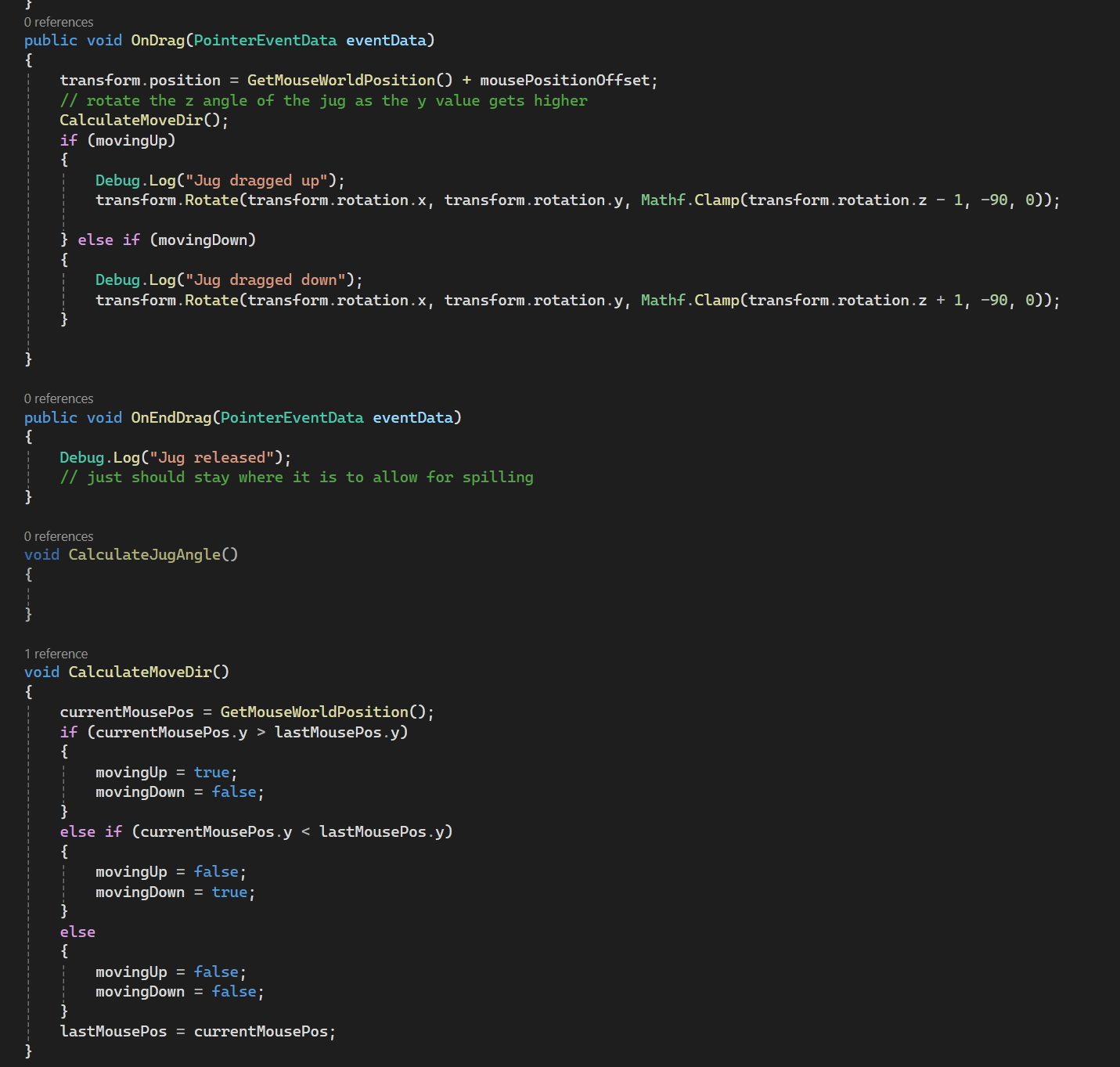
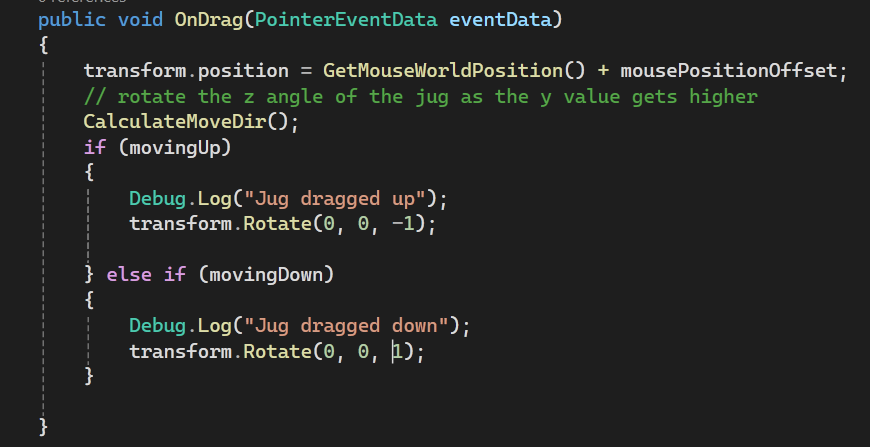
Just rotating in the drag relative to the current rotation based on moving up or down. It’s not 100% but it’s already close:
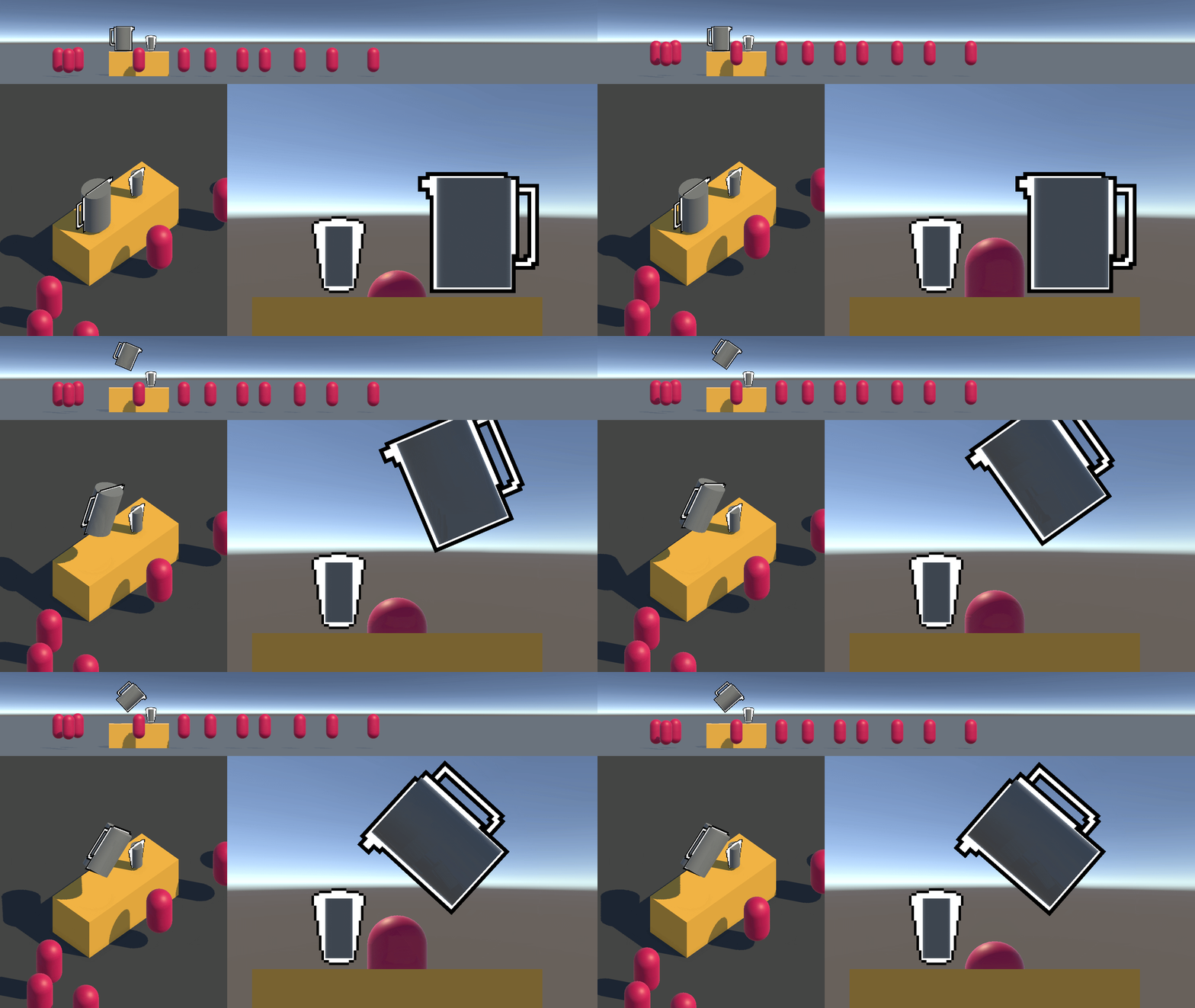
The clamp isn’t doing what I expect because the transform.Rotate function seems to be local. And yes, when I changed it to expect local transforms it’s closer:
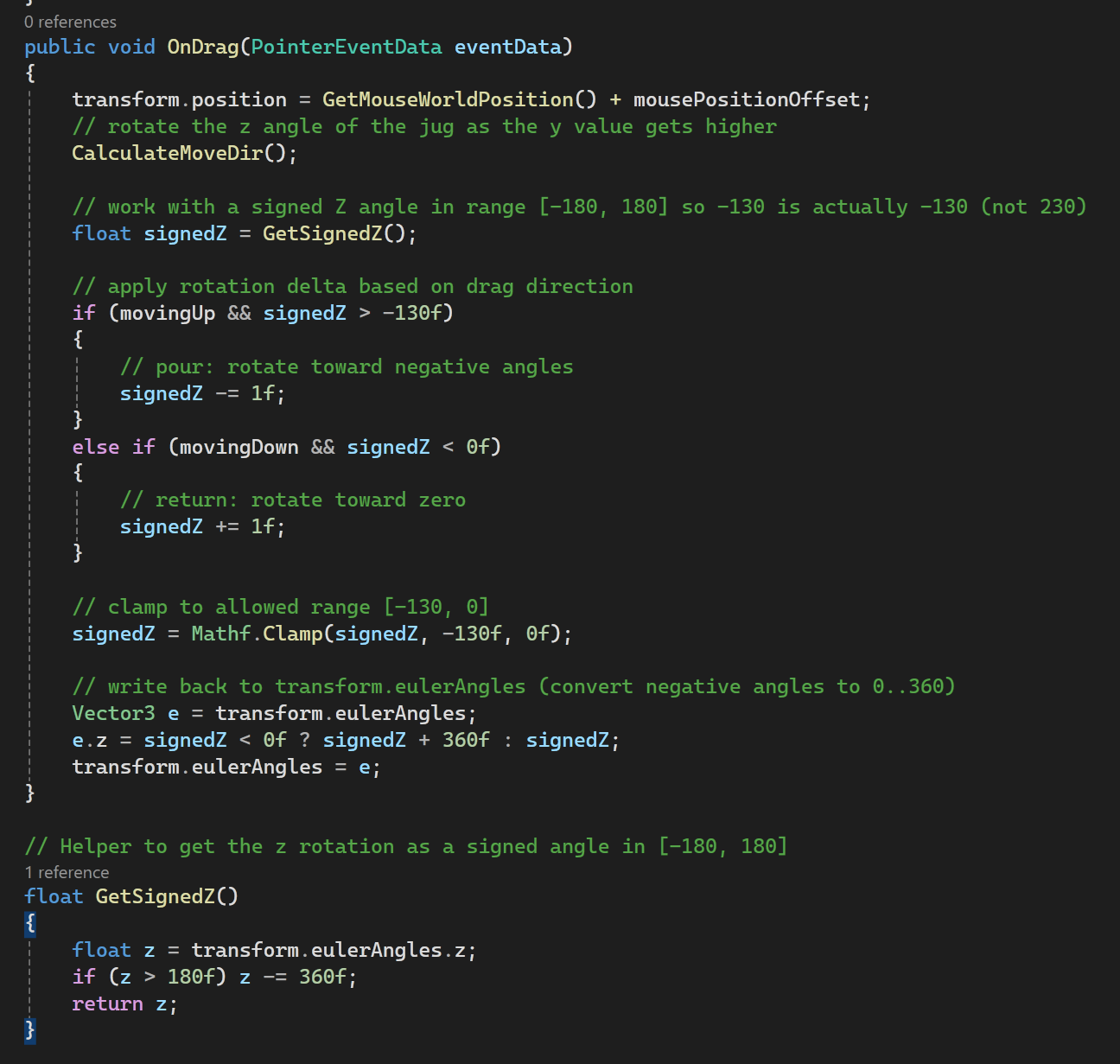
Looks great! Now I need to prevent the jug rotating too far out of range. I think a range of -130 to 0 degrees is good, I don’t want this to be a physics based game, so you wont get some strange behaviour where things shoot off into the distance because of clipping. There is also an issue right now if you drag slowly or quickly the angle is different. I think I’d prefer to keep it sort of on rails so you cn start to get a feel for the height to angle ratio. It’s already a bit punishing to test when it’s dependant on speed of moving.
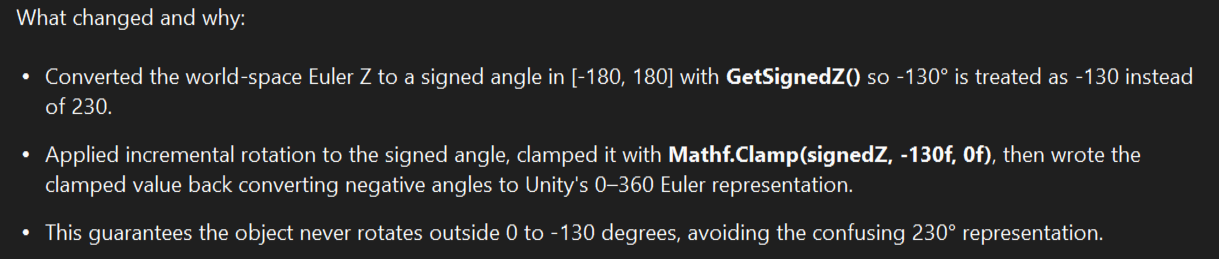
This one I did ask copilot again for and it was much more helpful in that what it gave me worked:
 Good bot
It’s that I have to set the angle numbers - the relative angle can make it go way above 360 and way below 0. Nice! I actually thought I had to avoid this because is aw some things about how the Rotate() method was preferred but this seems to be the thing Is want. Now I have:
Much closer! Playing around with it does seem like you can get used to it but I really don’t like how you can “lose” the jug if you are moving too fast upwards, and I don’t like how you can place it under the table. They might be too big for the area right now too.
Adjusting the feel
I’ll tackle the angle changing relative to the height first. This is also where I should probably add a buffer zone and a snap back to table top zone too. How it should work:
The higher the y position, the further away from 0 the z angle should be.There should be a max y so the jug cant go past a certain point and get lost out of view.There should be a 10% area from the initial position where it will stay at the 0 angle.When it’s within the 10% window it should snap back to its initial position on the table.
And for quality of life stuff to mimic the sliders which I may do later:
- the cursor should be constrained to the view of the camera when dragging
- the cursor should be constrained to the game when dragging too just as a failsafe
- the cursor should disappear when dragging
- the cursor should be constrained to the max and min y value of the jug and have a constrained x min and max.
I’ll start on the first list:
Tying the rotation to the y value
Right now the angle is just adding +/-1 every frame that the player drags the jug. The value it takes ends up being the absolute number between -130 and 0. I can probably do away with the moving up and down checks and just tie the y position directly to the z rotation. What I got:
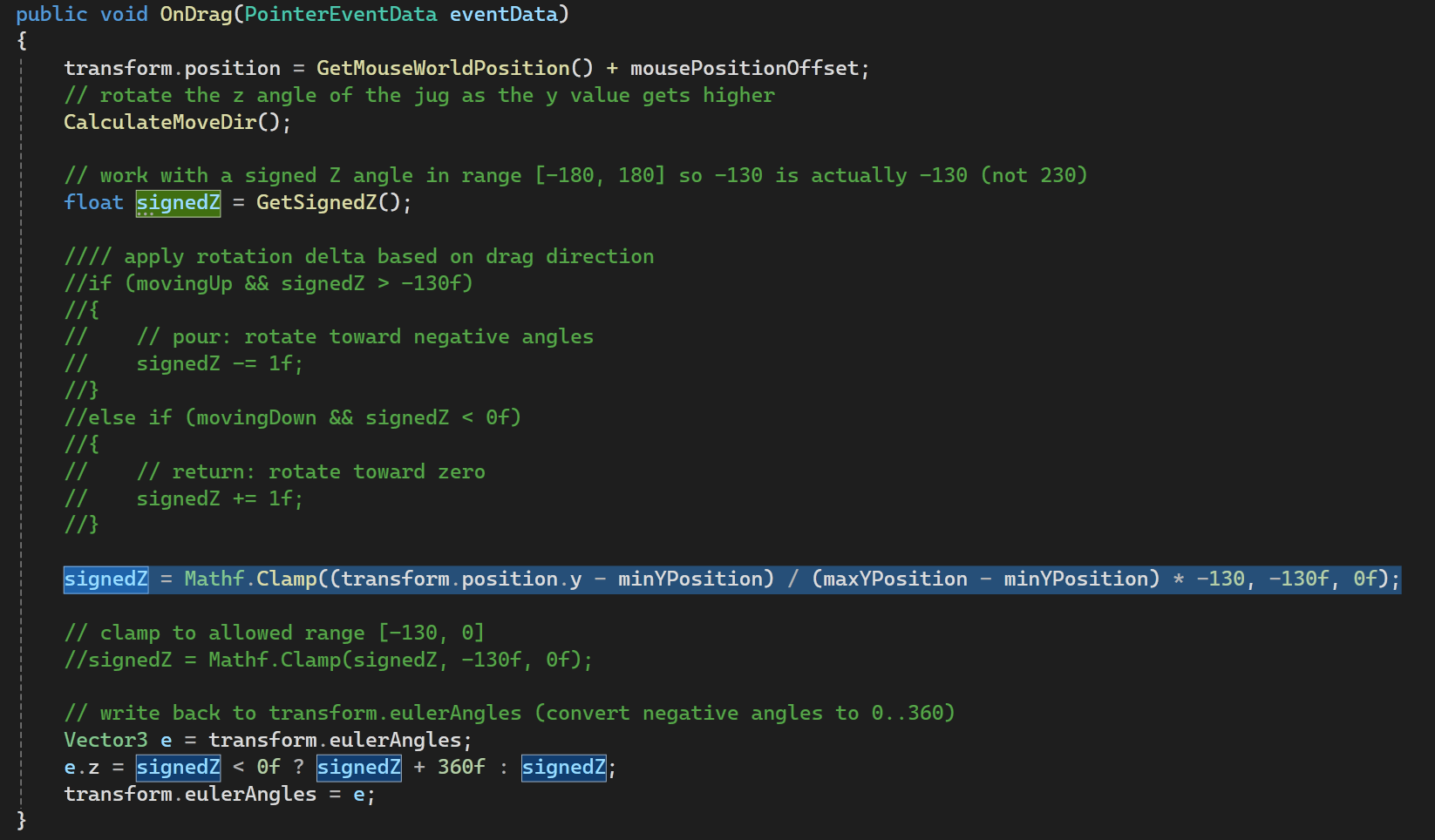
Mathematically what it’s doing is the currentY - the minY / maxY - minY * maxAngle and being clamped to the range. In plain terms it is getting a portion or percent (a number under 1) of the height range and multiplying it by the largest number in the range for the angle. And I get this:
 If you ever asked “When will I use this?” in Maths class, this is the answer
Much more consistent, but its tilting way too early and low. This is where it’s time to add the buffer. I actually checked some numbers by manually moving the GameObject in the Scene View and then checking the number in the inspector. With just a change to the max y it is closer to what I want:
I also threw in some clamping for the min and max y and x so the jug doesn’t go out of view.

Now it’s buffer time. There are 2 components:
- Prevent angle change until it’s higher than 10% of the full height
- Snap it back to the table when it’s 5% of the full height
These are arbitrary breakpoints for now but I’ve added it where I make a new signedZ:

This is essentially making the height get treated like it’s 10% lower than it is just for the tilting jug. And now, the jug has a small space where it goes straight up and down before tilting:
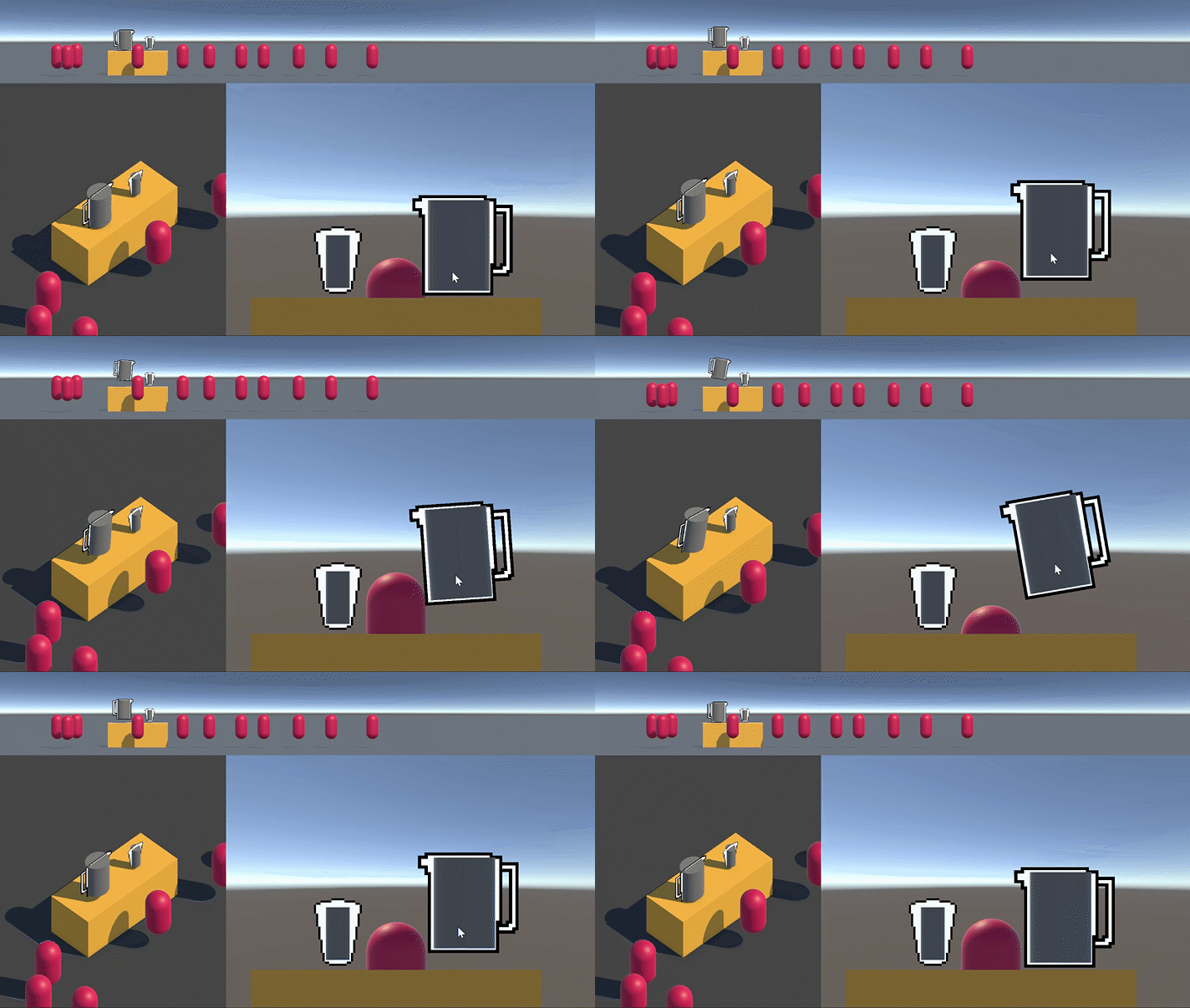
After playing with it for a little while I think it should snap back OVER 10% when you let it go.
Snapping the jug to the table
This will need to check what the jug’s y value is and if it’s 15% of the full height move it back to the table. I want it to be smooth but I’ll start with moving it back straight away. I’ll do the check inside the onEndDrag method that has nothing in it except a Debug.Log() at the moment.
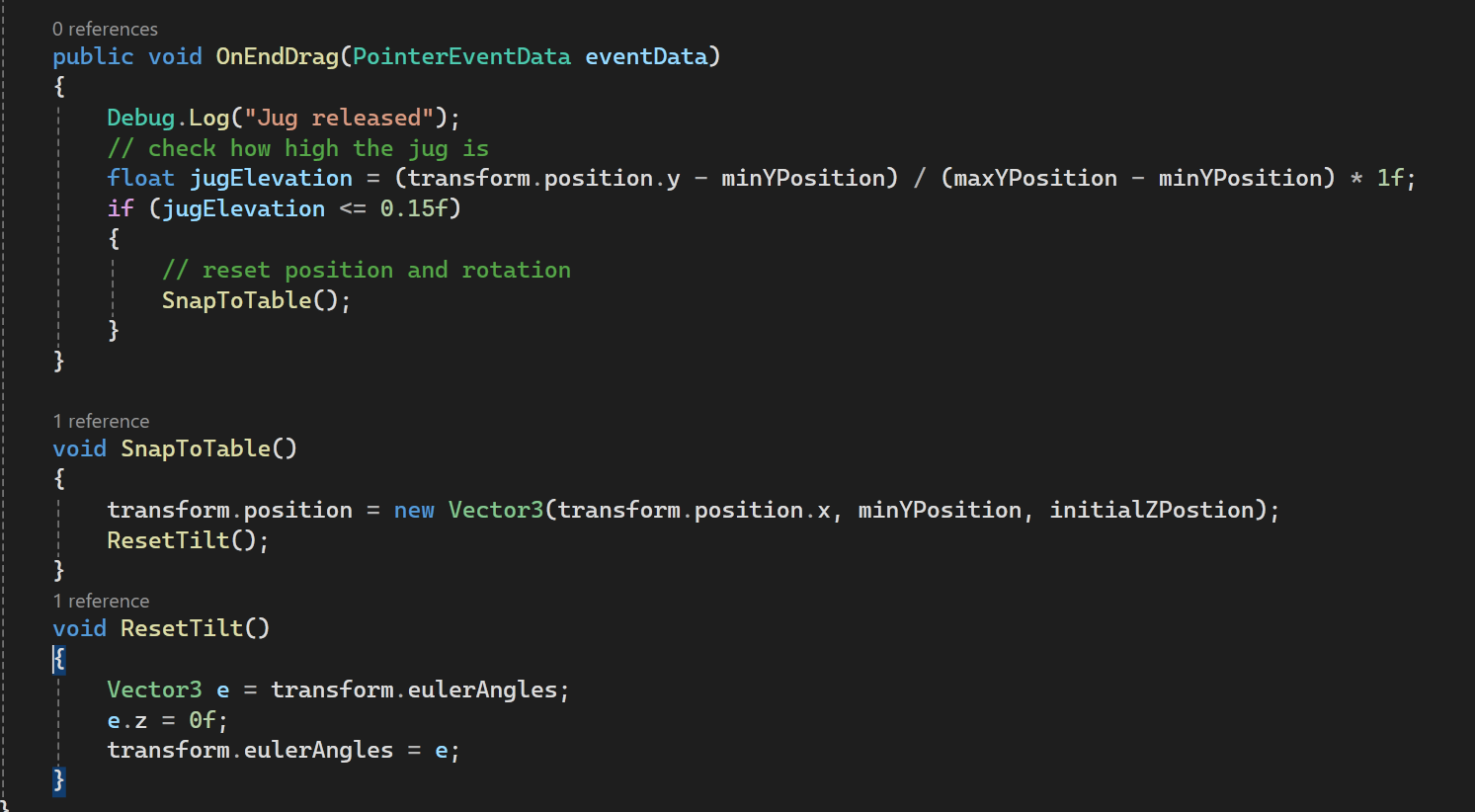
This just moves it to the table at any x position you are currently and then resets the angle.
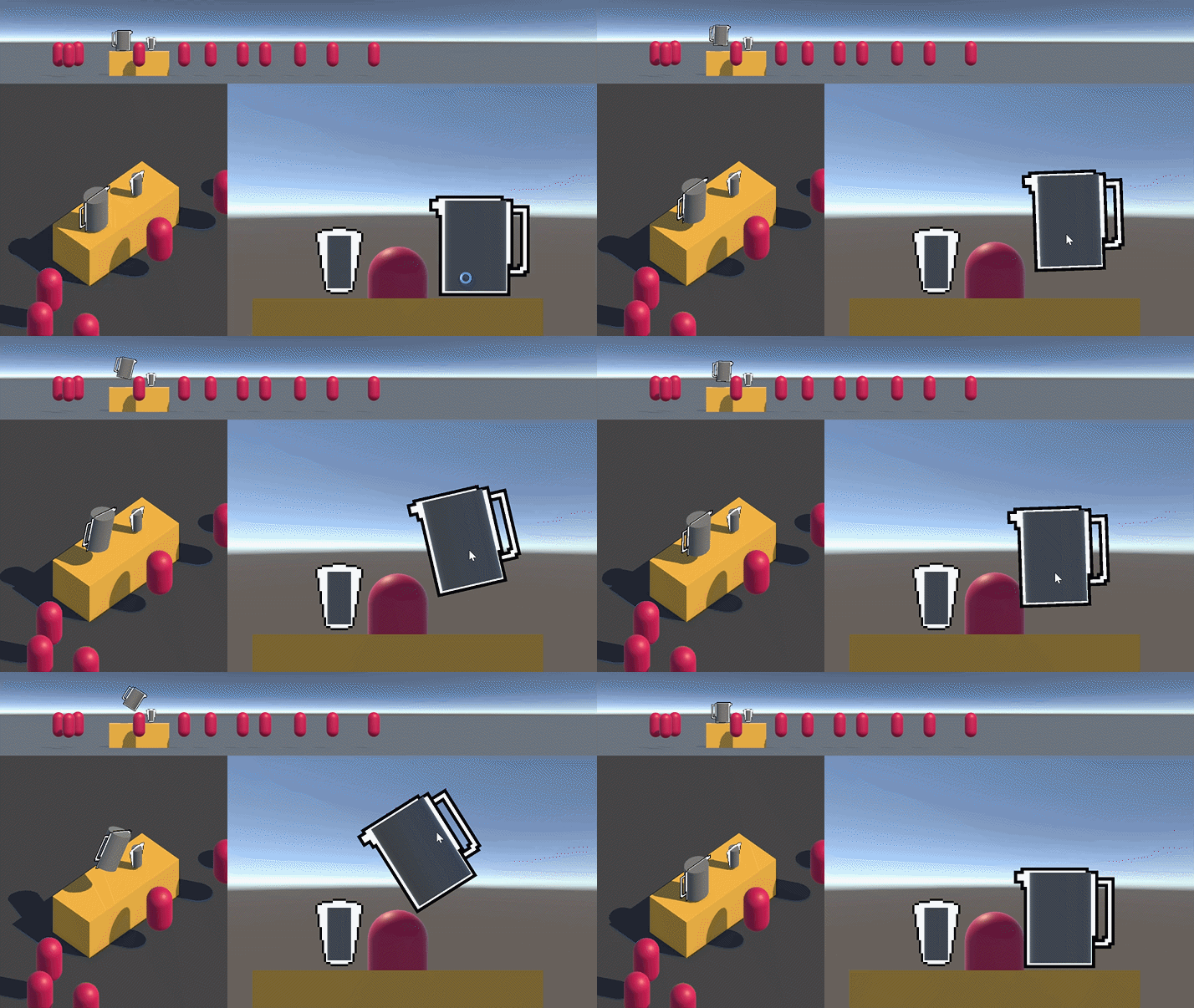
It works pretty well and I don’t think I’ll add the smooth movement yet since I haven’t had anyone try it yet - it could be unfun! Why polish if it isn’t fun yet?
What’s next
Looking at the list I had up the top I actually think making the cup receive the liquid ingredient is more important than the jug removing liquid. It’s also less complex because the cup doesn’t tilt. The jug is going to need calculation of how much liquid is in it before it starts to pour based on the angle. The cup will be a nie base to start from. I planned to look at this tutorial from MinionsArt:
It’s a nice way to fake liquids in a container and it’s basically the 3D version of the UI Toolkit cup I made in a way! It also handles the container tilting which it a huge bonus and it should work on the jug when I get to it.
For now I’ll put this down and come back tomorrow!