Ultimate Indie - Week 2 day 6 Prototyping Boba Tycoon continued
I’m back on Boba tycoon today! We had a good few events the past few days that left my brain too cooked to think. I spent a few hours yesterday playing Final Fantasy Stranger of Paradise yesterday because Mike was trying to communicate how good this game felt with job systems and I suggested playing it would let me see how it felt. It feels like an indie game with a Final Fantasy license - you can see where a menu replaces gameplay and it made me think about how you could make the majority of a game with menus and start slowly replacing menu by menu starting from the most key parts of what the game play would be.
I have though about how menus are boring and how to replace them as much as I can in game ideas - that’s for another day though.
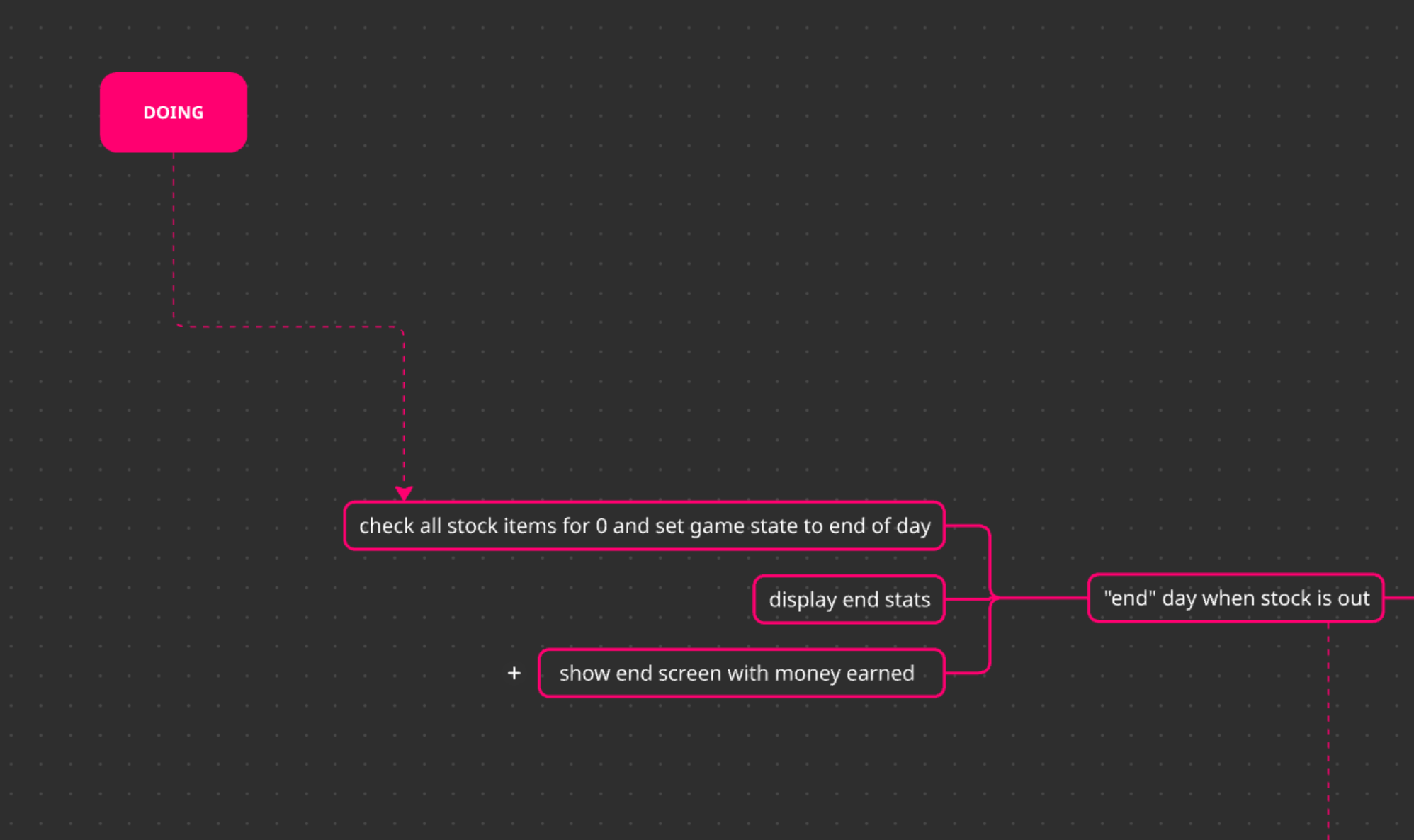
I have this prototype to get playable! I had a small look at what I had on my list for the prototype and realised I could cut stuff out to make it playable. This is my focus for now:
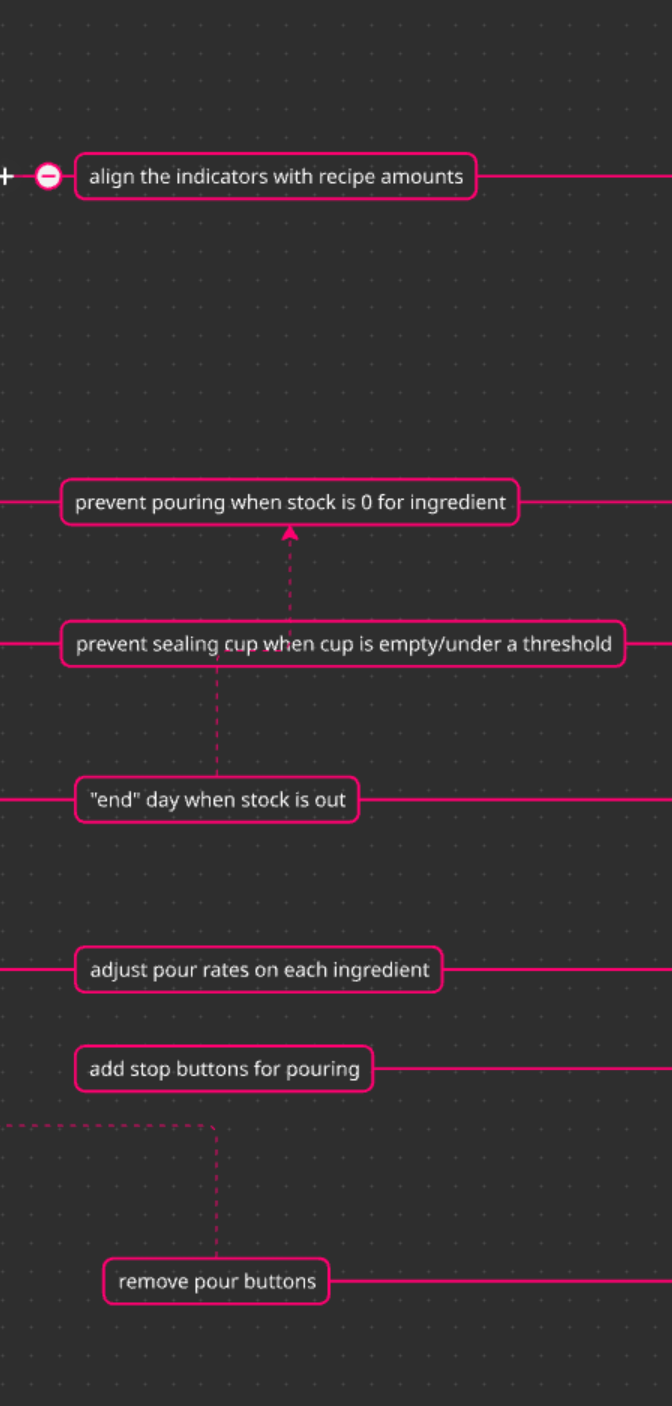 Just a slice
This has cut out a lot of what I thought it needed to be playable a few days ago but when I had a good hard look it didn’t need everything - some of it was refactoring and I don’t think that’s’ worth it in a prototype since it doesn’t affect the feedback I get on it from the players. Some of these are things I’m pretty confident I know how to handle, unlike the custom slider where I had to learn new things. I’ll see how I go on each, starting with the indicators on the side of the cup.
Fixing up the indicators
The indicators on the side of the cup have been adjusted manually in the UI builder so far so every change to the cup’s height when I move layout elements around means I have to adjust it every time.
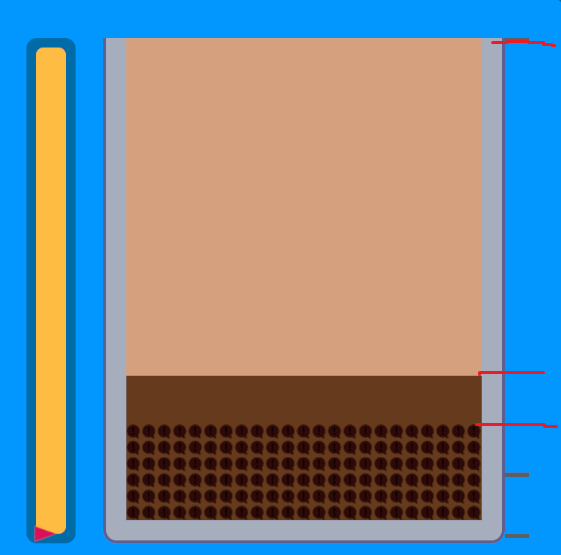 The red is where they should be, based on the recipe
Luckily I’ve got something else that needed to do something similar before this: the liquid levels.
 Adjusts the multiplier for the height of the space
So I just need a similar thing. The height of the indicators is actually slightly off from the empty space (it’s the full cup instead) so it needs to be adjusted too. Breaking down the steps:
- Adjust the indicator container
- Get the recipe ingredient ratio (I’ll use just 1 fixed recipe for now)
- Generate a bar and add a top offset based on the percent and covert it to the expected height of the element
Adjust offset for a thicker indicator bar element
This is just a display really and doesn’t have a real effect on the gameplay - the seal cup check does the recipe checking.
Adjust the indicator container
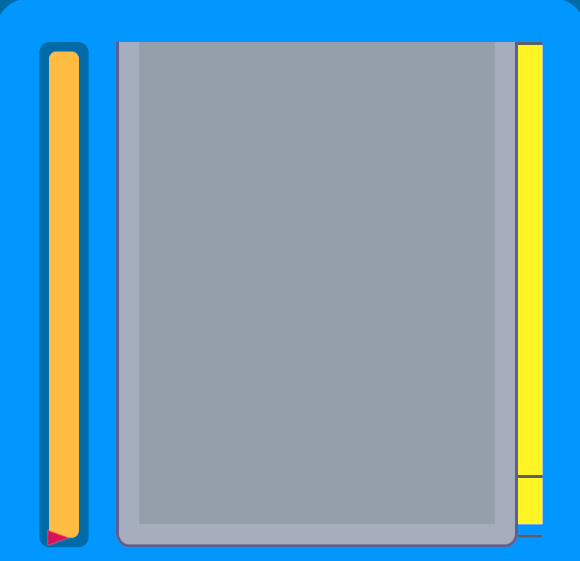
This one is simple - get the element, then in the GeometryChangedEvent for the EmptySpace we change the height of it. This way it will always be the right height.

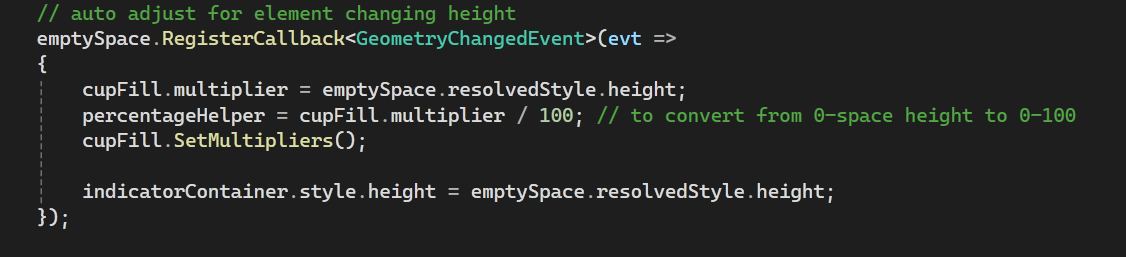
And it worked, I change the BG to some bright neon so I can see the change easily:
Getting the recipe ingredient ratio
I can grab this from the CupFill’s public field currentRecipe. I had a task to rewrite the recipe class so the ingredients could be easily retrievable but for now I’m just going to treat this like there is only tea, syrup and pearls.
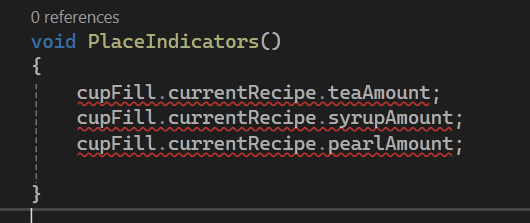 Red squiggles because we aren’t doing anything with them yet
Create bars and offset them
Right now the bars are being offset by margins with %. The arrow for the slider I made is using position absolute and adjusting the bottom. I could try to do it with pixel margins though since it’s about how far apart they will be.
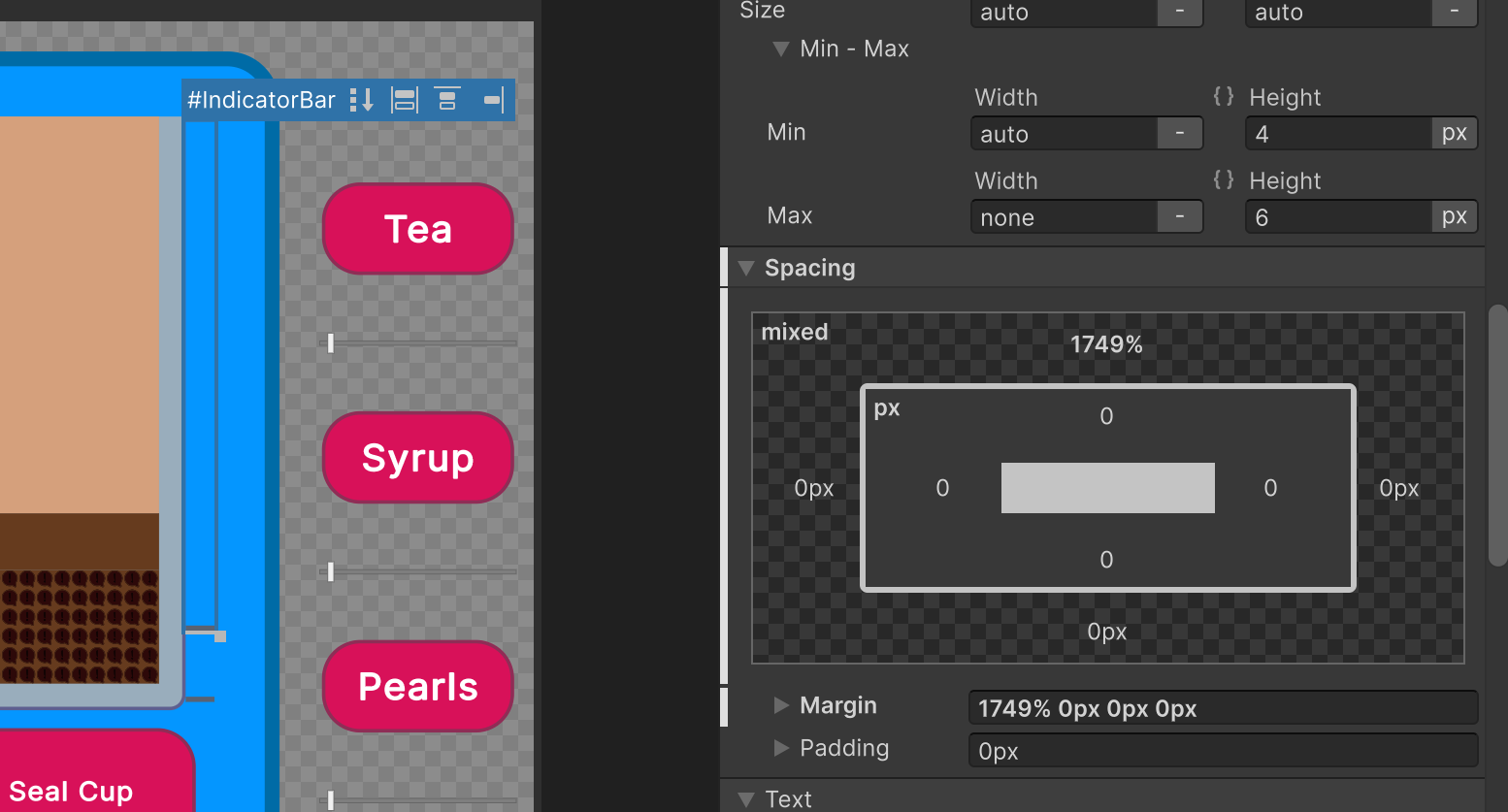
I’ll do this piece by piece:
- Offset the bars I already have
Remove the bars in the builder and create them after I have the offset code working
Offsetting the bars
First off we’re going to try to move the bars we have on the page already. First we have to get them:

Then we just adjust the margin to be x amount of pixels based on the ingredient ratio. I ignore the tea bar because the tea line needs to be at the top of the cup. The next bar needs to be the Tea amount down, and then the bar after needs to be the syrup amount down. There shouldn’t be a bar at the bottom - so really we are adjusting the bars after the first one.
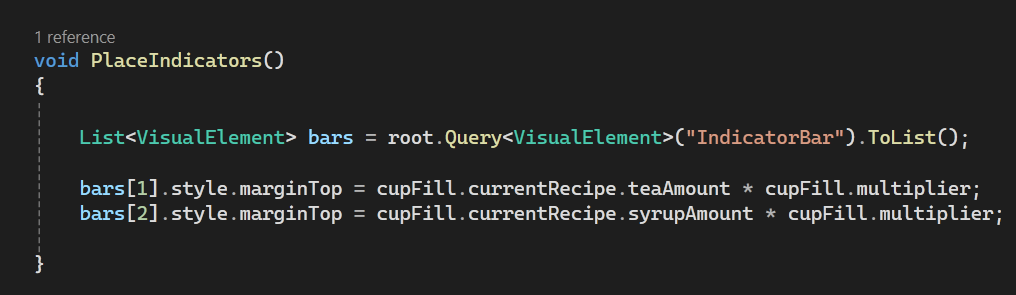
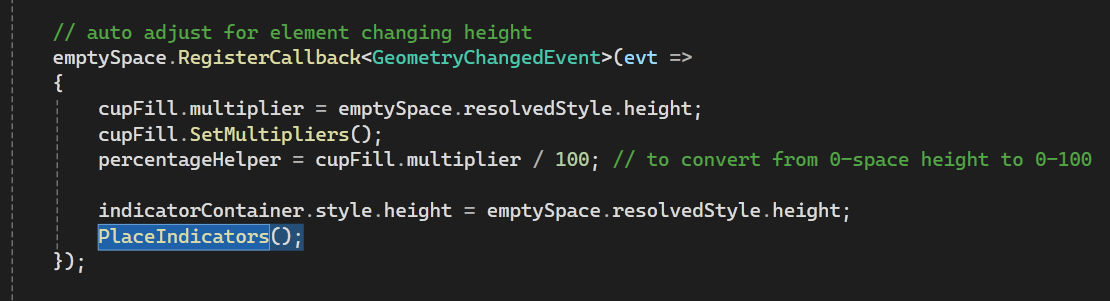 Keeping it simple for now
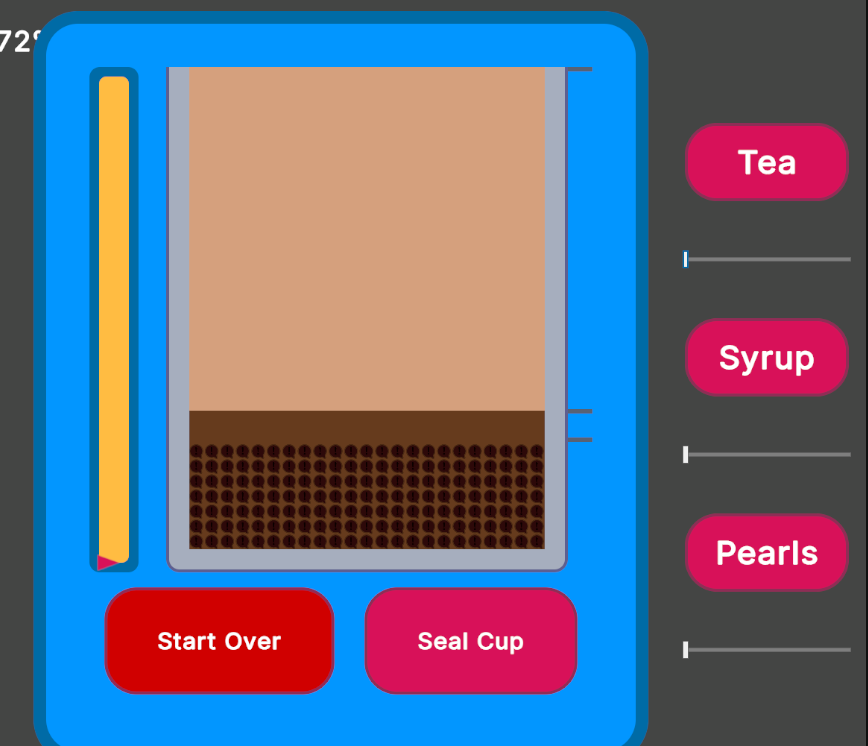
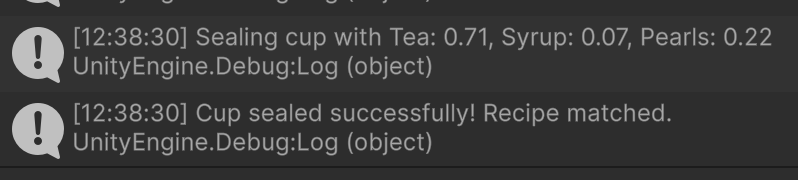 Now I can eyeball the recipes
Creating Bars with UI Toolkit in code
This part actually does not help this prototype so I’m de-scoping it!
Adjust offset for a thicker indicator bar element
This one also doesn’t affect this prototype so I decided to de-scope this one too.
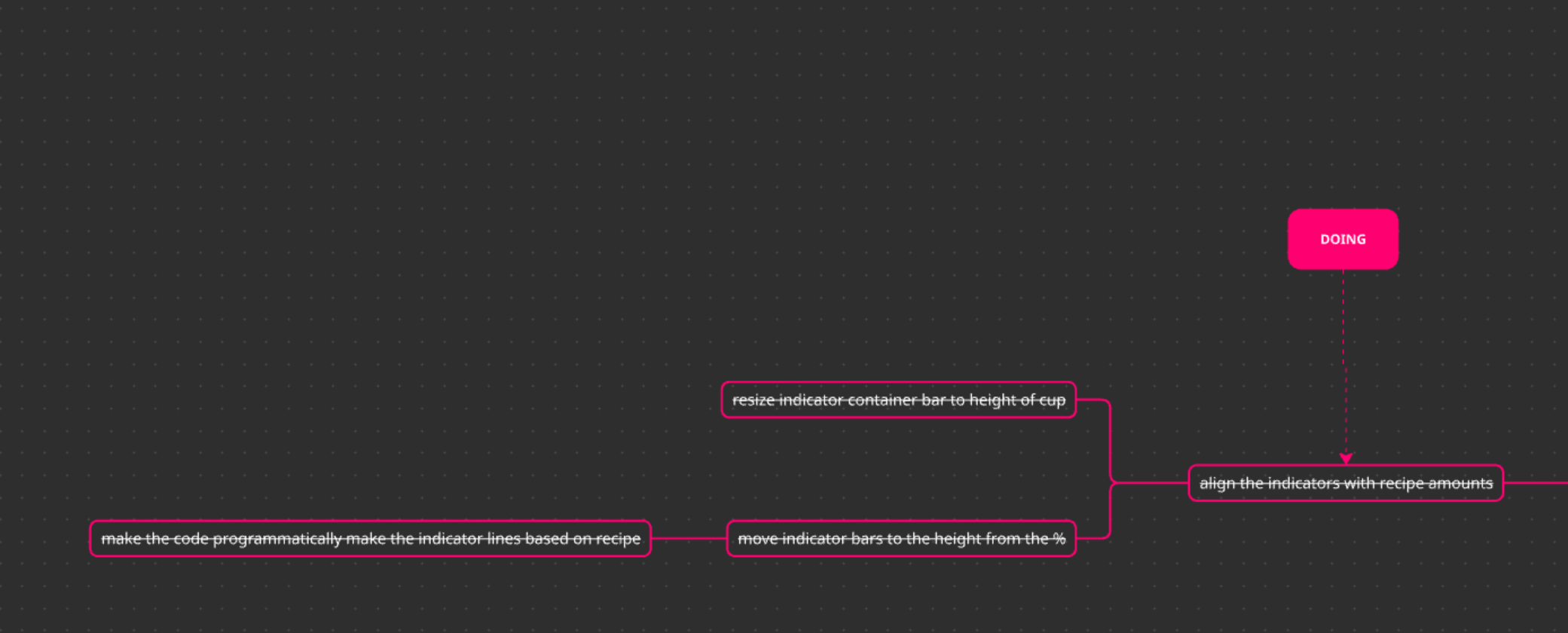 One task off the list!
I cut off a lot of scope so I could get this done, I’m really trying to focus on getting this to be a playable “day.” Adding this also lets me remove the debug test for the ingredient counts in the cup! On to the next:
Prevent Sealing the cup when it’s under a threshold
This is to prevent someone hammering the Seal cup button to get a whole lot of money. I’m just going to set thgis to 100% so the cup has to be 100% full before you can seal it for now.
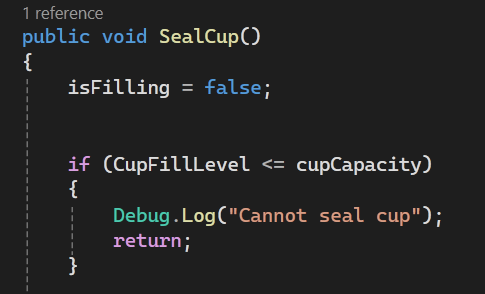
I should add feedback here but for now this is fine! Maybe I can disable the button to prevent the click? For that I need to bind data to the button.
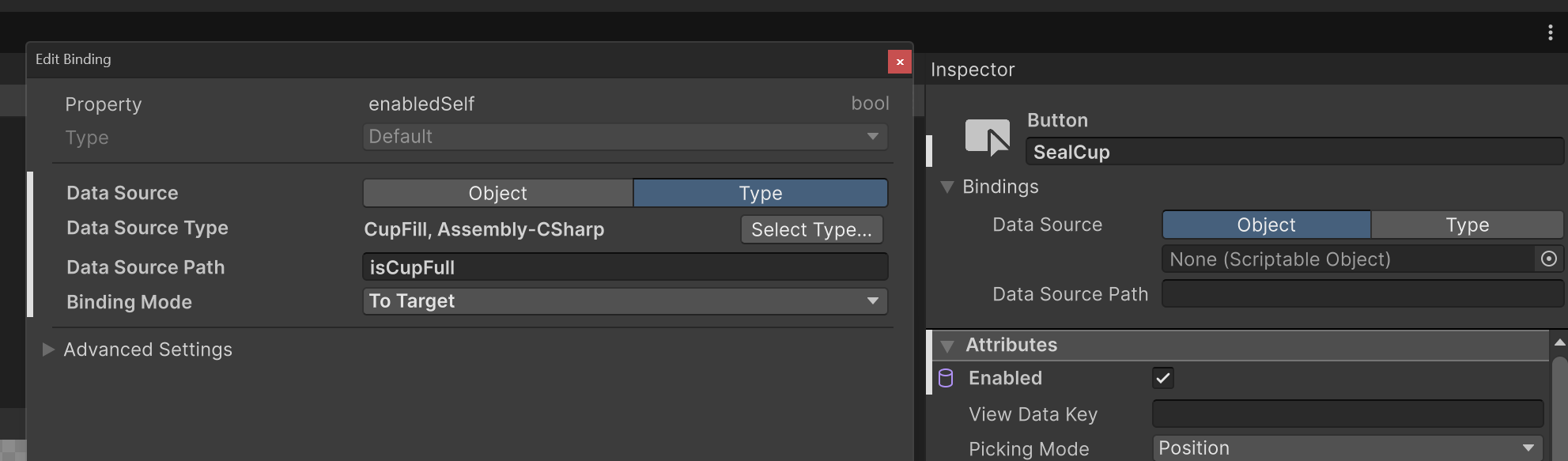
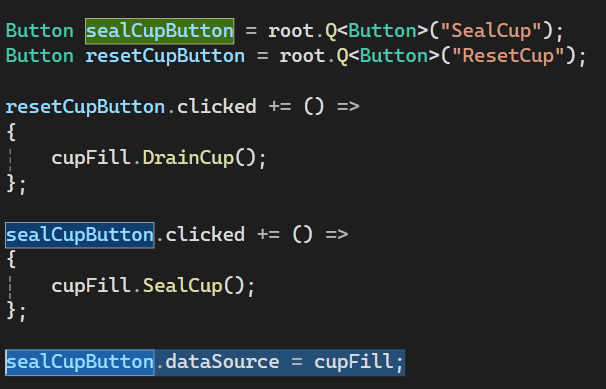

 Placing the check in the update method
With this it works:
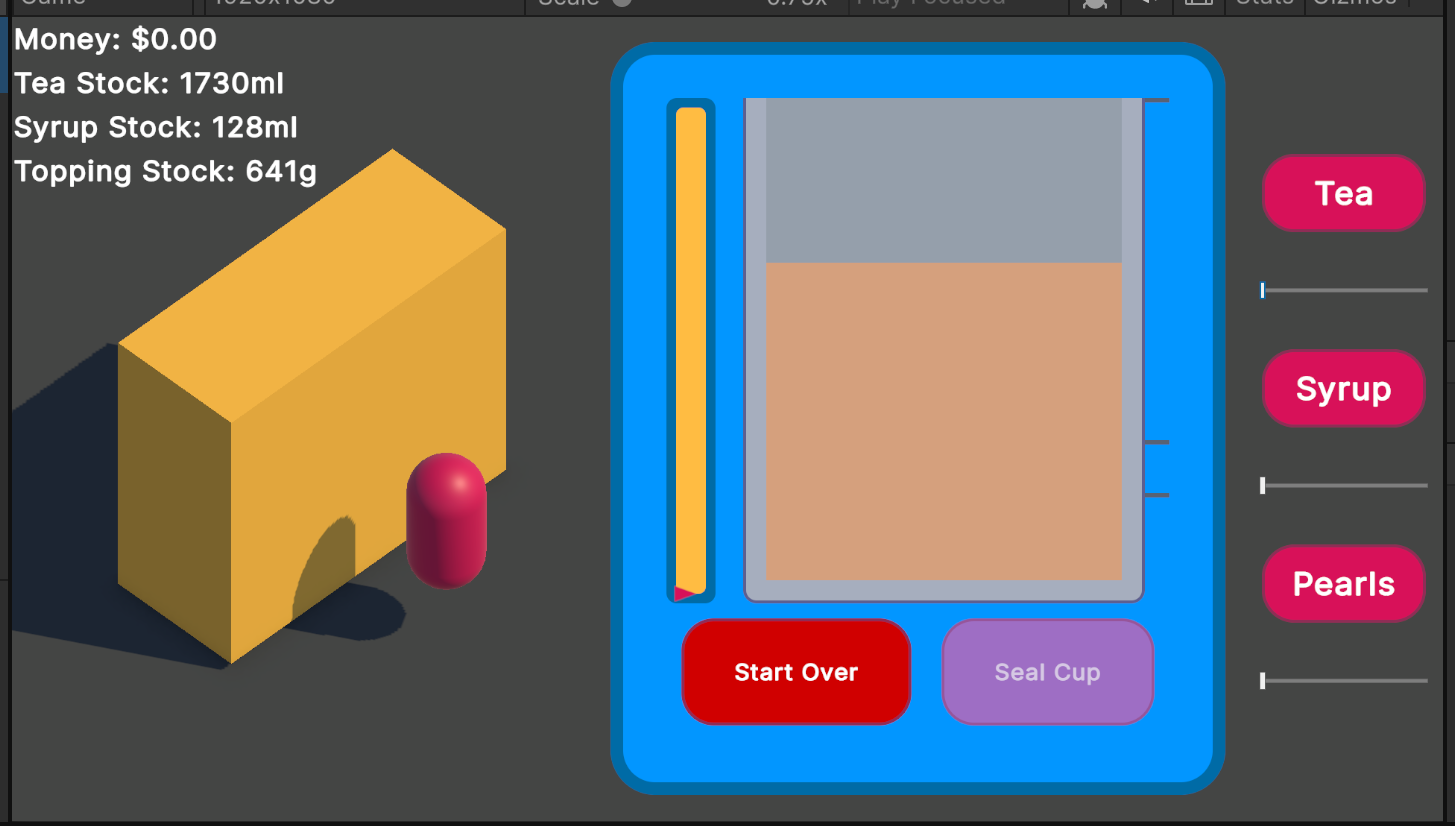
On to the next item 😄 It’s addictive to cross things off a todo list.
Preventing pouring when you’re out of stock
This is going to be similar to the previous task -if there is no stock, don’t pour. I think I do need to be a bit careful for the case where it may pour into negatives at certain frames.
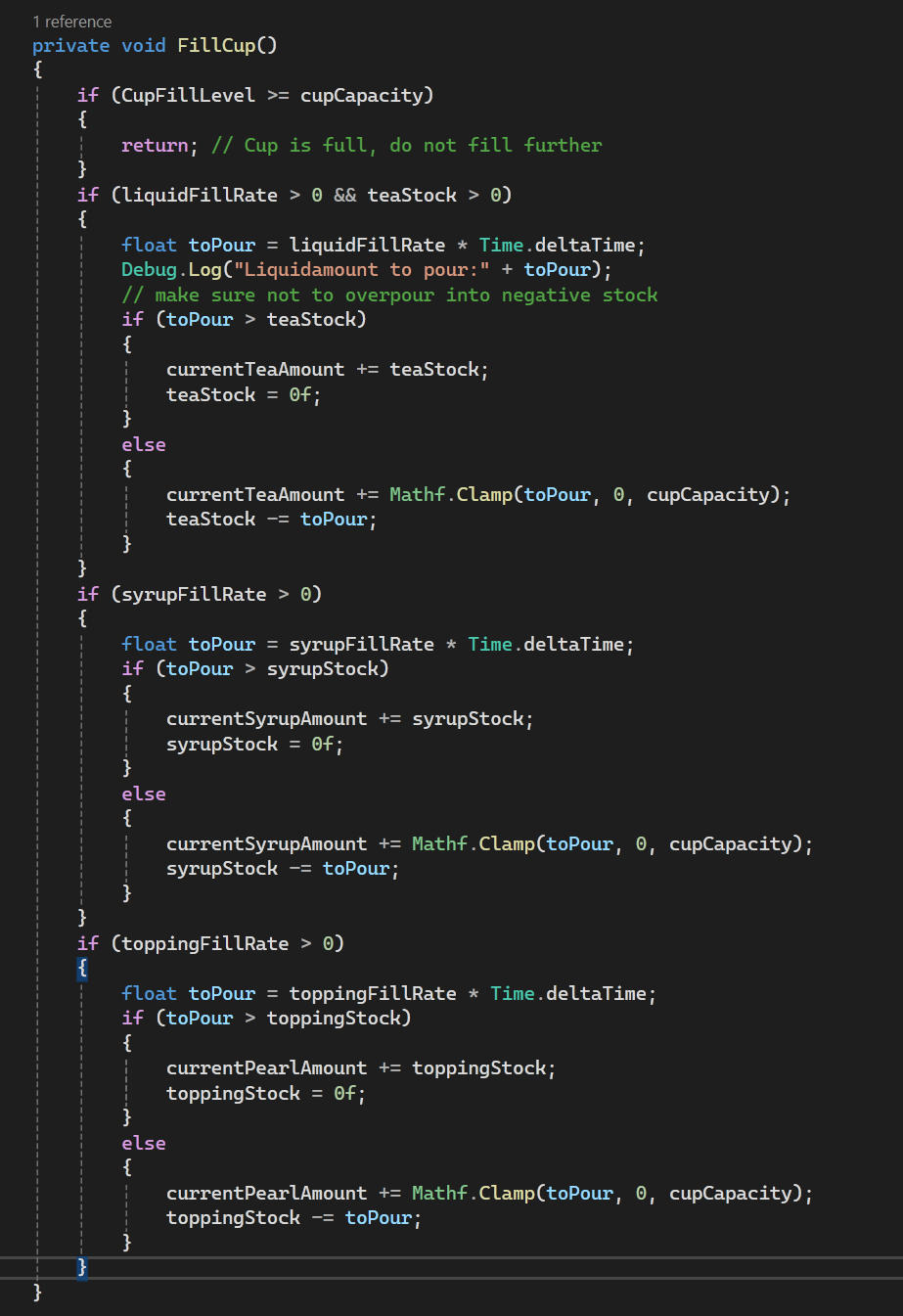
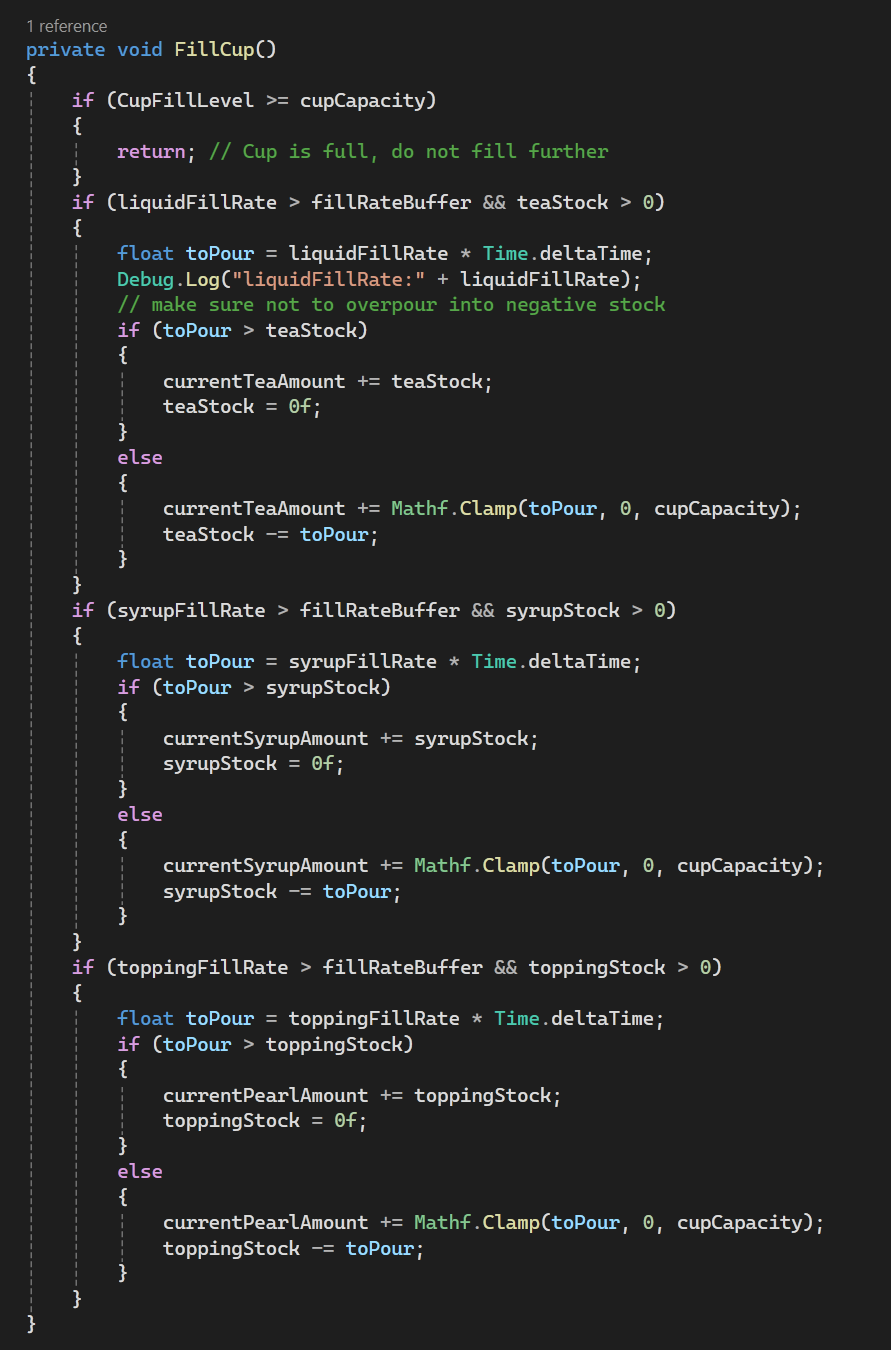
I got rid of a lot of booleans here since they can be derived from fill rate. I actually added a fill rate buffer here too because I noticed as I was testing, it would be really hard to drag the slider to exactly 0.
And now we can’t add more if we’ve run out:
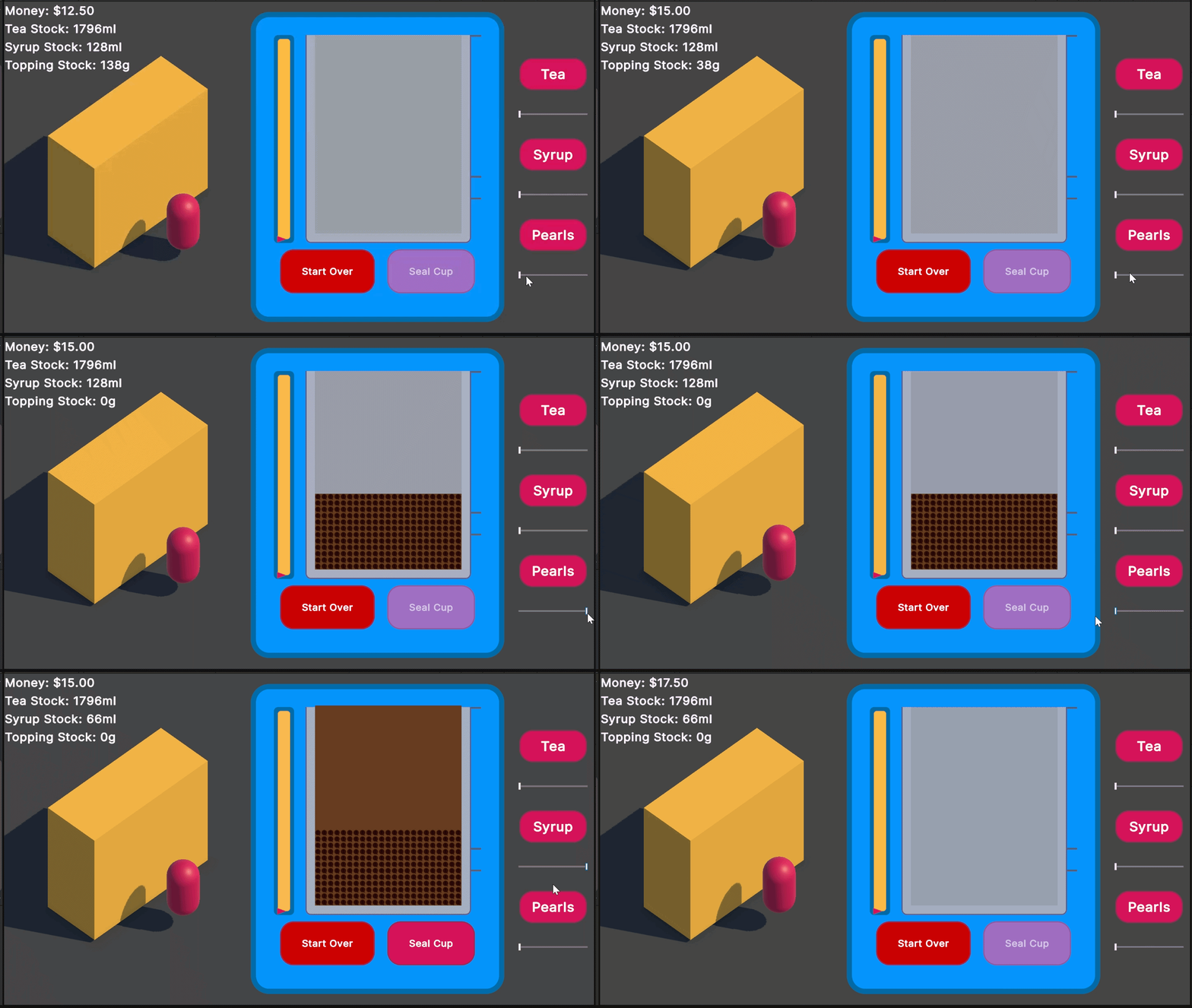 All pearls all day
Now for the next task:
Add sliders to adjust each ingredient’s pour rate
I am holding myself back from converting the slider I made into a custom UI toolkit component because what if people do not think its fun? I will have spent time on converting it fo rno added fun at all. For this I’m, going to copy + paste the elements and try to have a clean ISH code to set up the events properly.
I also don’t have the horizontal sliders like I envisioned but that’s fine for now.
I went ahead on this without needing to think it out too much, it was just copy + paste and make the thing I already had reusable:
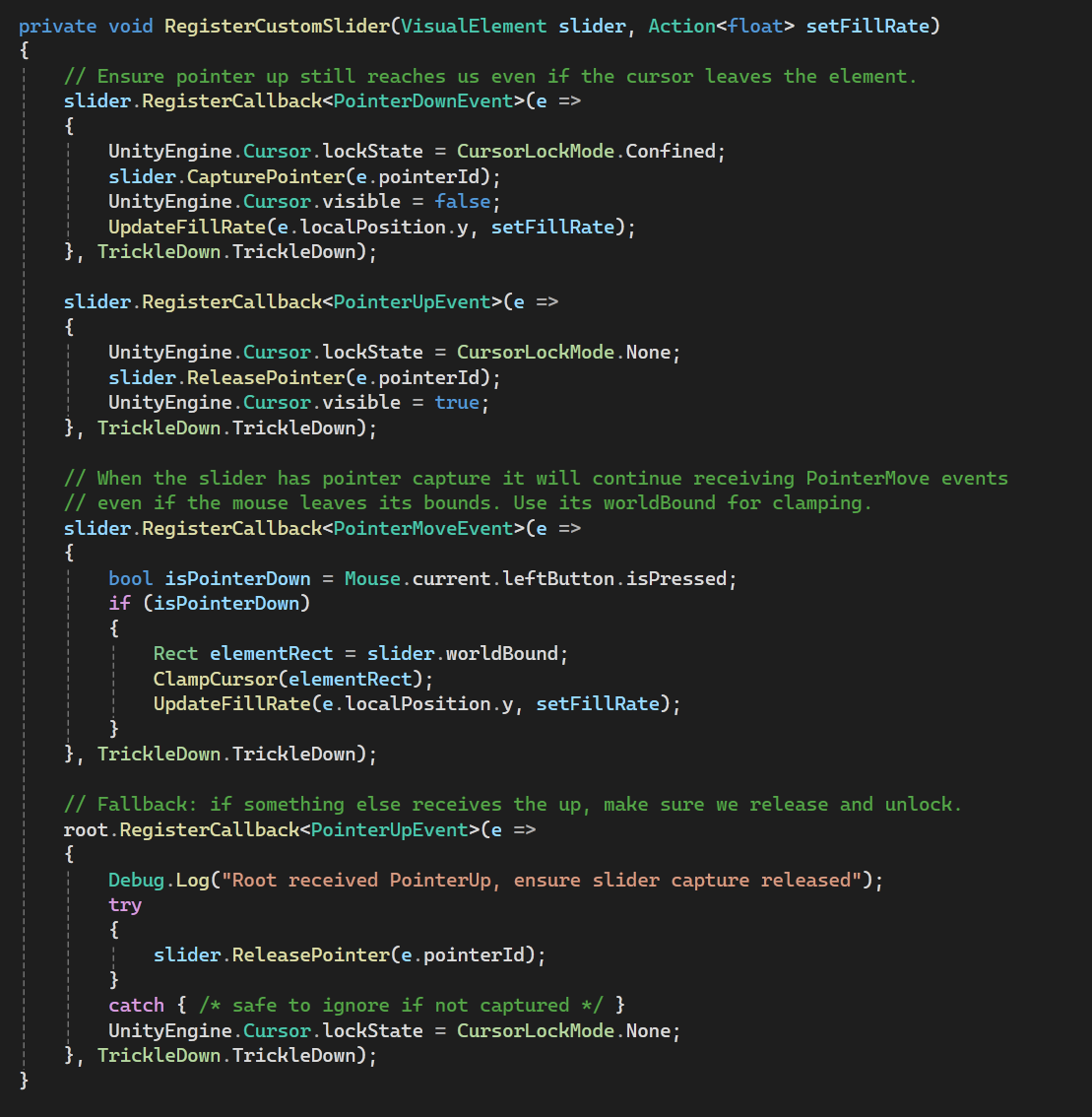 Passing in an action so I can update the parameter on cupfill
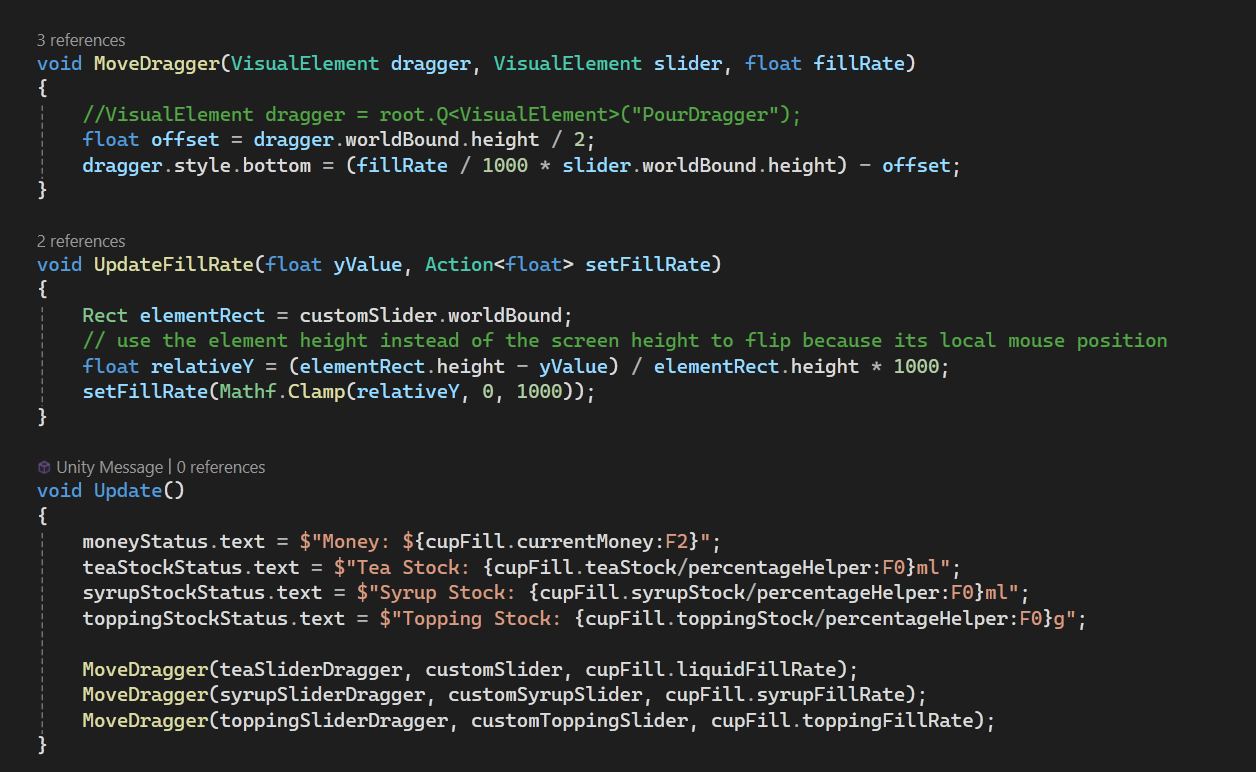 Updated UpdateFillRate and MoveDragger to be reusable
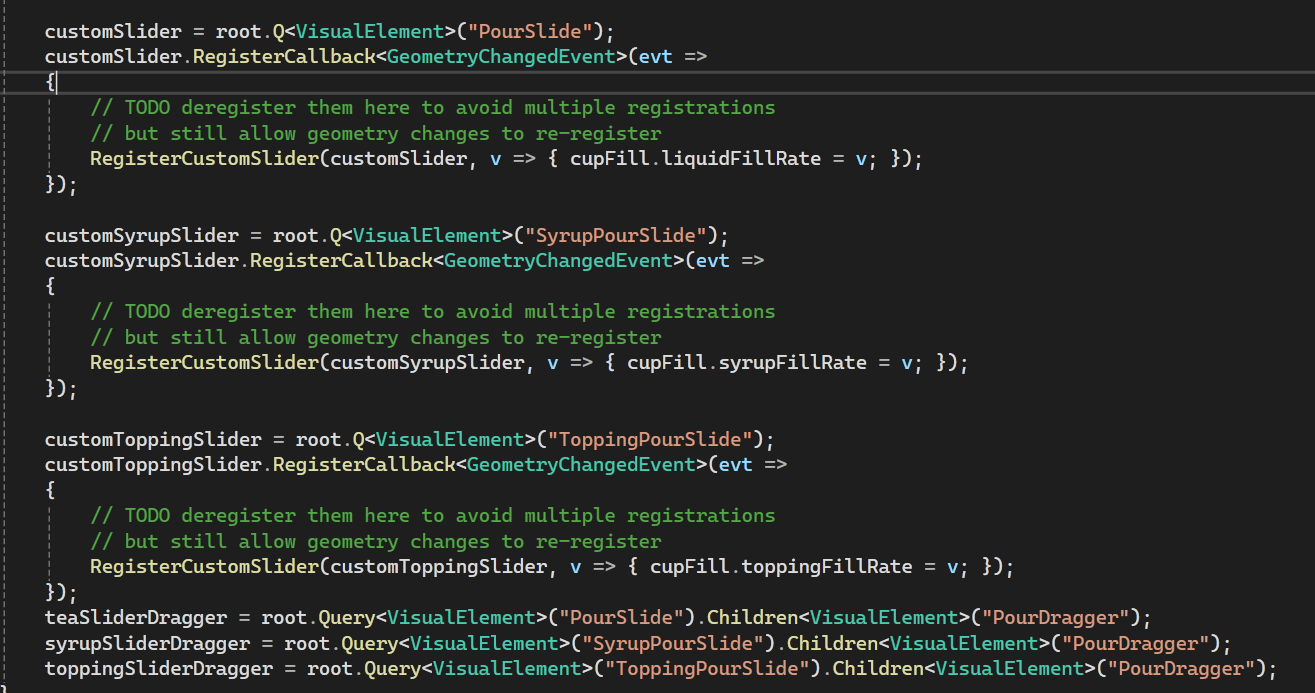 Registering the callbacks on the new elements
And here it is working:
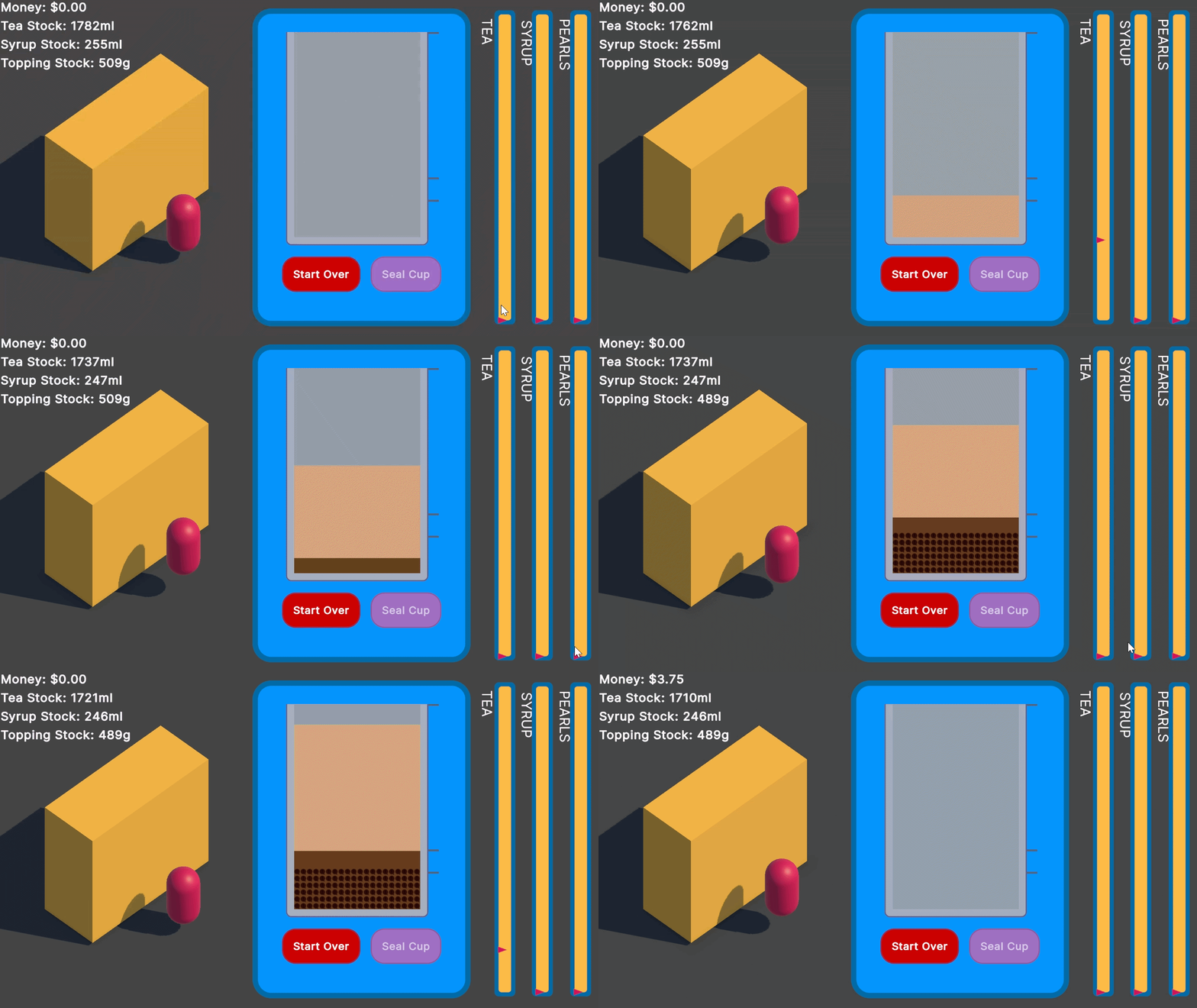
With this I got rid of a lot of the UI elements I have hanging around and the code to register them so what you see here is almost all of the code for the UI.
Add stop buttons for pouring
Simple and easy. A button to change the fill rate to 0 per ingredient. This was requested by Mike when he was playing a recent version, he likes to tip the sliders very high so fill ASAP.
I actually think I’ll de-scope this one for now - the risk of going fast is the the risk of not stopping in time. I’ll see how feedback is on this from others.
End the day
This is where I can introduce game state and an end screen. This is my simple plan:

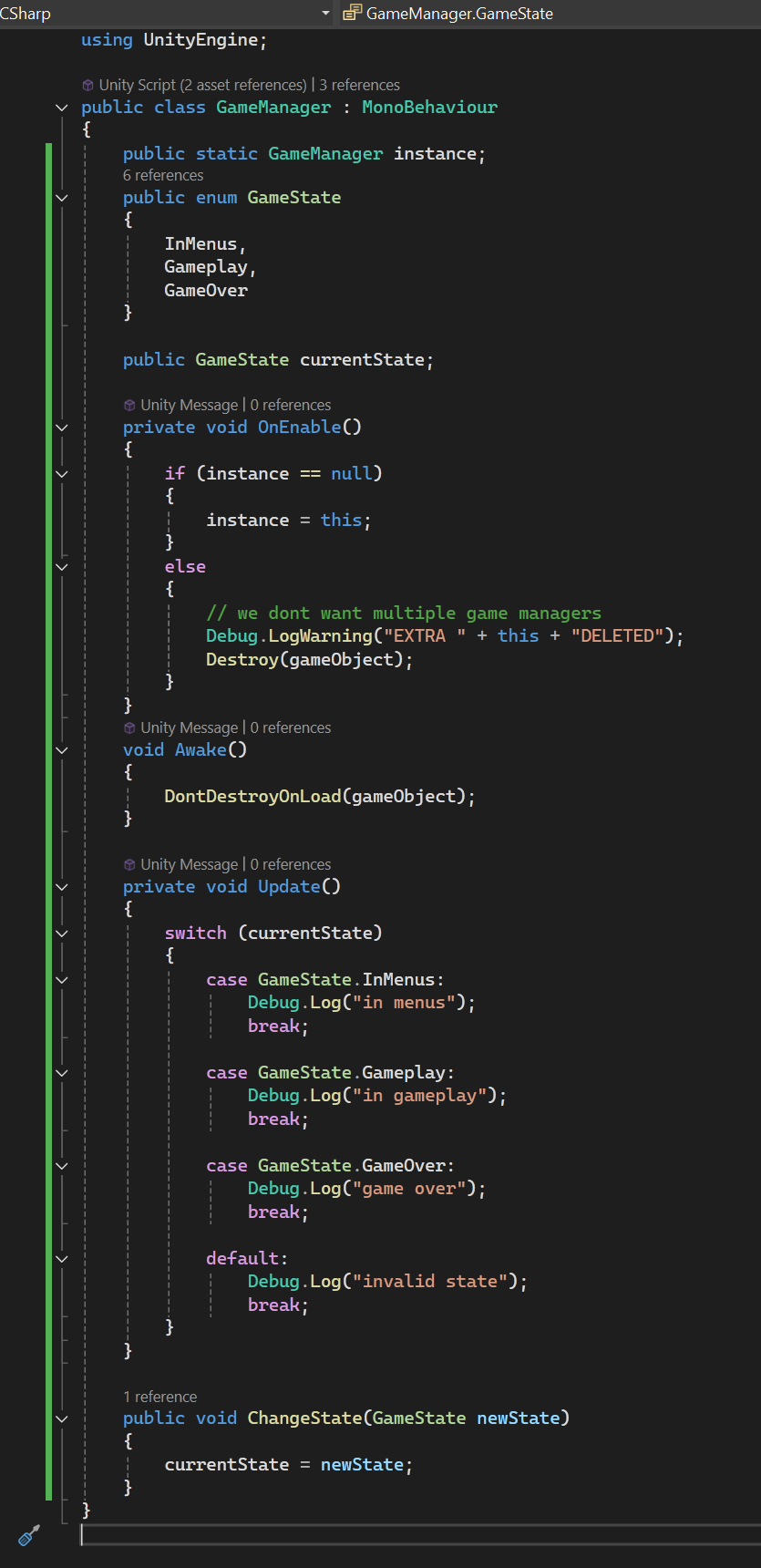
I need to introduce a really simple state machine with the states: InMenu, GamePlay, and GameOver. At this point I can add a GameManager singleton so it can hold the state over the scenes. I just copied this from a different project I have.
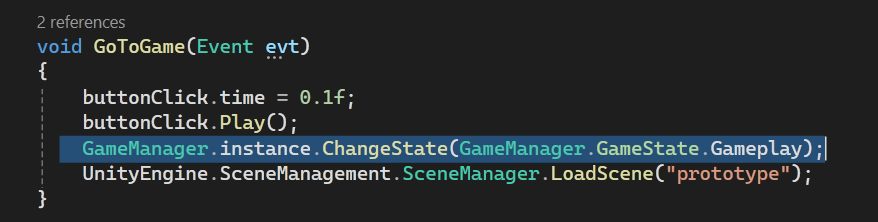
And then make sure to change the state when I switch scenes:
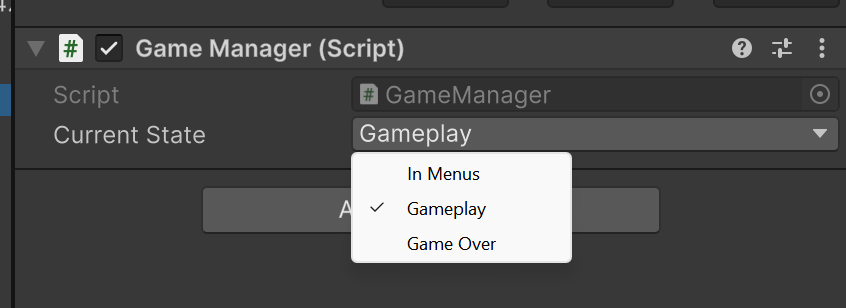
And because its a singleton I place it in both my menu scene and gameplay scene and I will keep track of the state:
I’ll write the next steps of this so I don’t meander again:
- Make dummy End results screen UI that shows when its game over
- change to the game over screen when its game over
- add some stats to show on the end screen
- update stats with game interactions
- show results on end screen
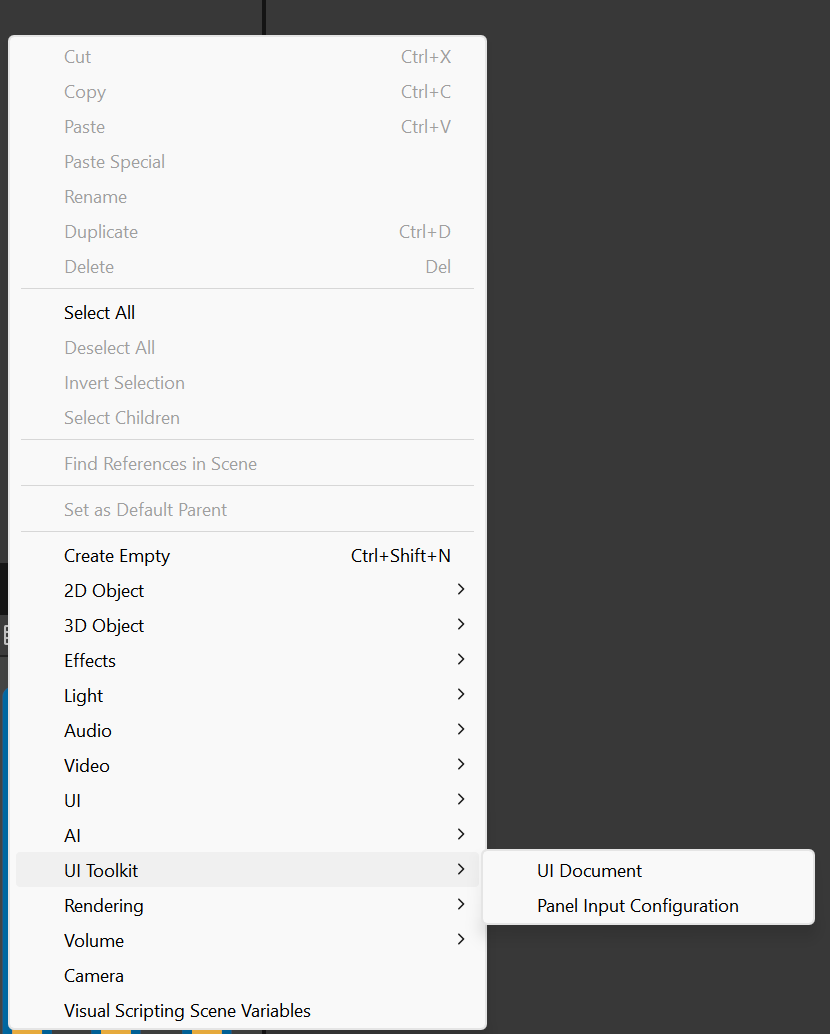
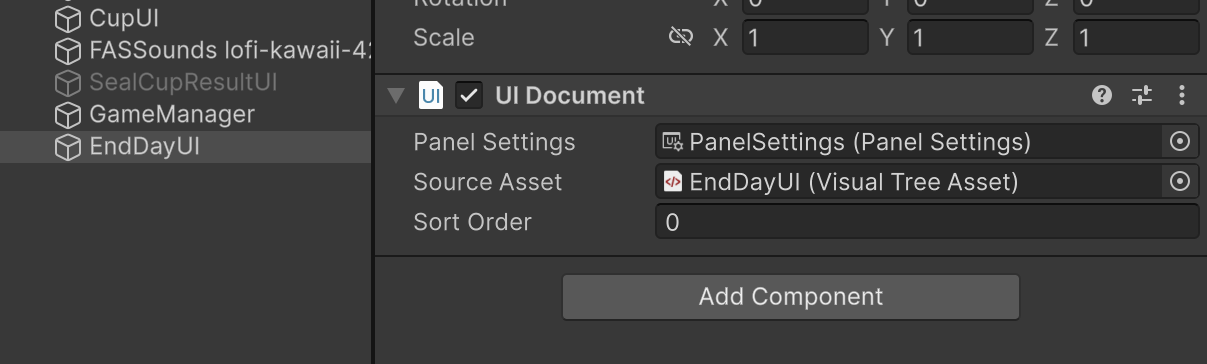
This is the chunkiest part of my tasks today! Step 1 is pretty easy. Just right click the scene hierarchy and add a new UI Document and make a UI document in the Project assets to put in the Source Asset slot.
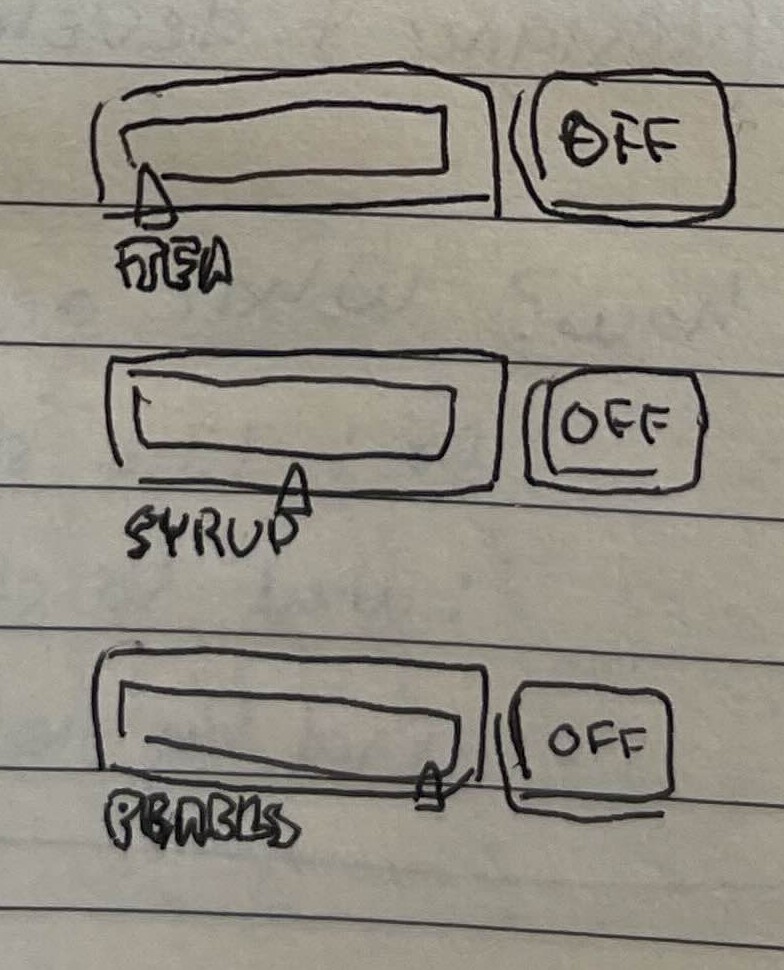
I drew a small thumbnail of how the end screen could look:
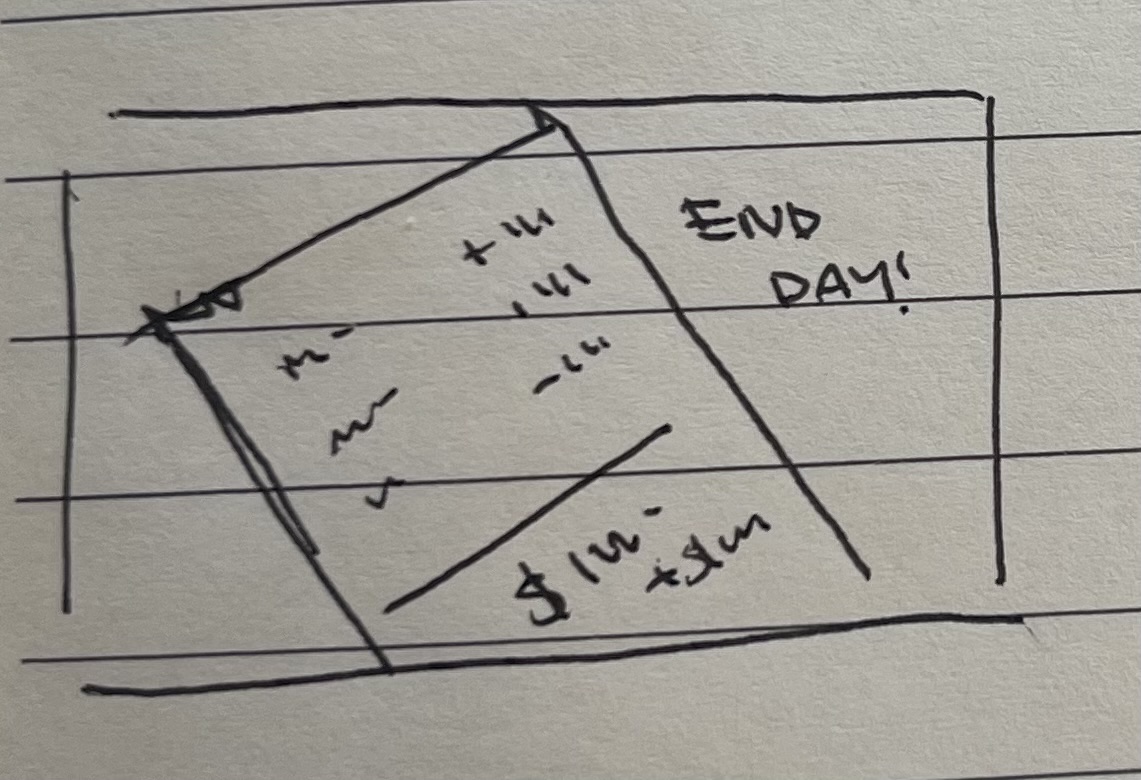
So I’ll go ahead and make it as close as I can without making it too complex. Here I can start thinking about what stats can show up here:
- Cups sold
tea soldTea wasted totalsyrup soldSyrup wastedpearls soldpearls wastedFastest cup timeSlowest cup time- tips earned
- Money earned total
I think this is a good start. I wanted to have some kind of stock use count but I need to add the day timer for that one to make sense. I have also now realised that it’s not clear enough that when the player has not enough stock for a full cup they would have to click the start over button. I think I need to end the day as soon as there is no stock, or as soon as 1 full cup can’t be made. I think I want the latter.
Dummy end screen
For now I’ll add places for the stats to be added on the End of Day report. I’ll cut it down to the ones that are most important and cross out the others on the list above.
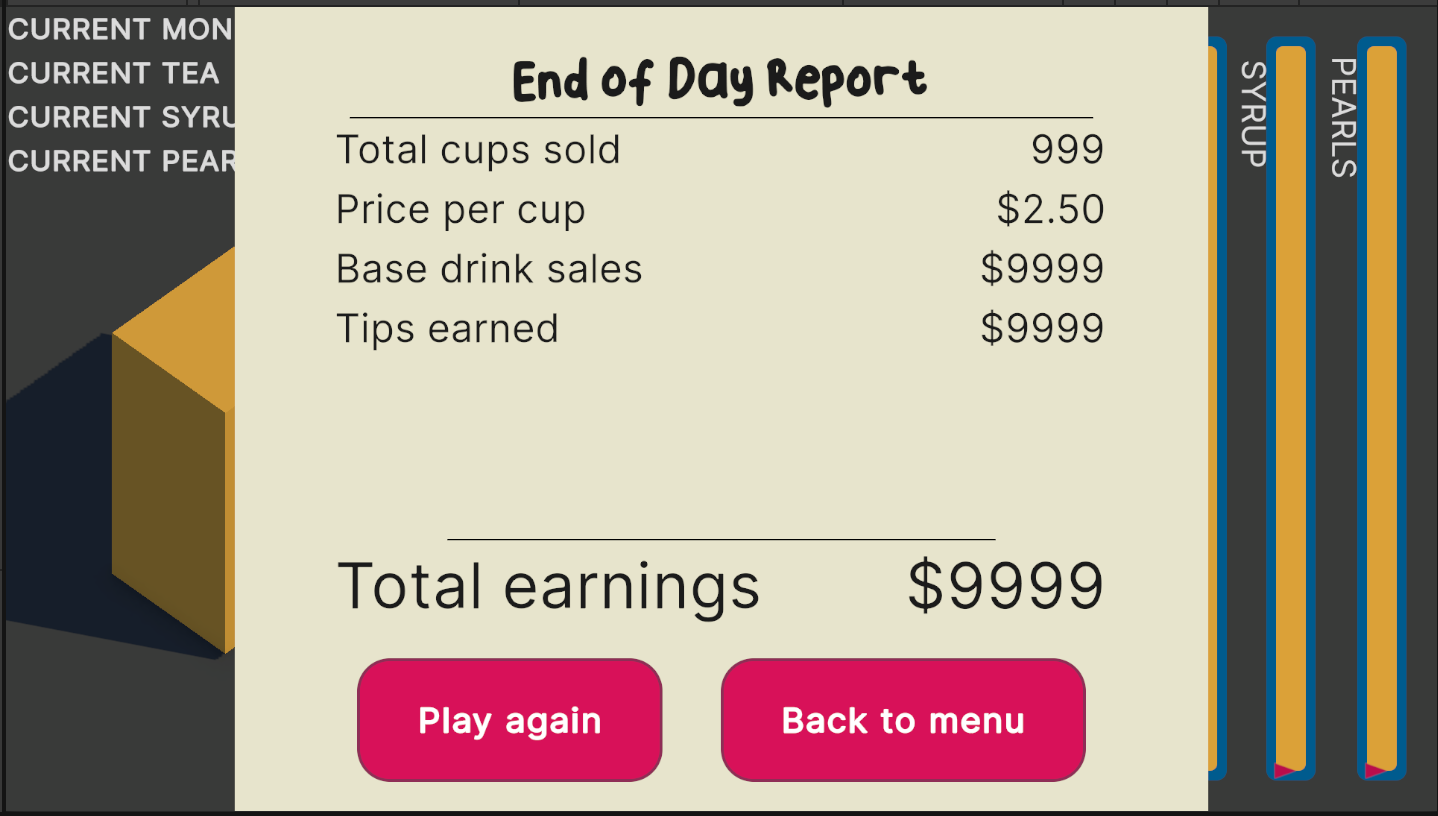
Adding stats
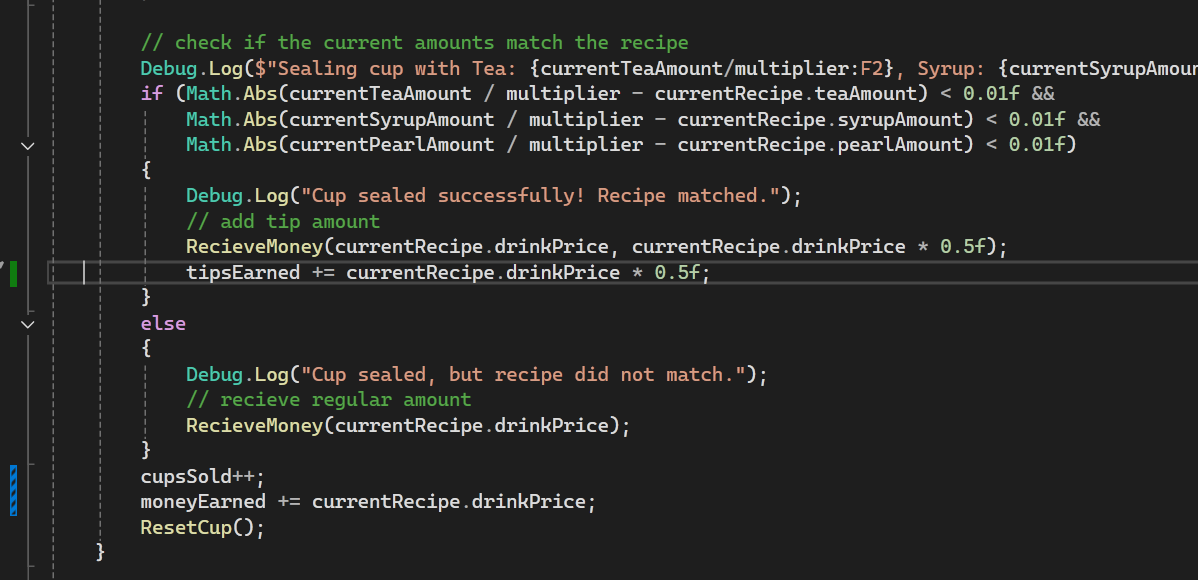
Looking good - now I need to add fields on CupFill to keep track of these.
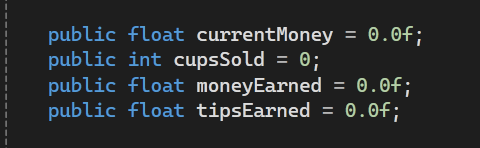
Updating stats
Then I update these where relevant in the SealCup method:
Showing stats on the end screen
And now I bind these values in the UI Builder:
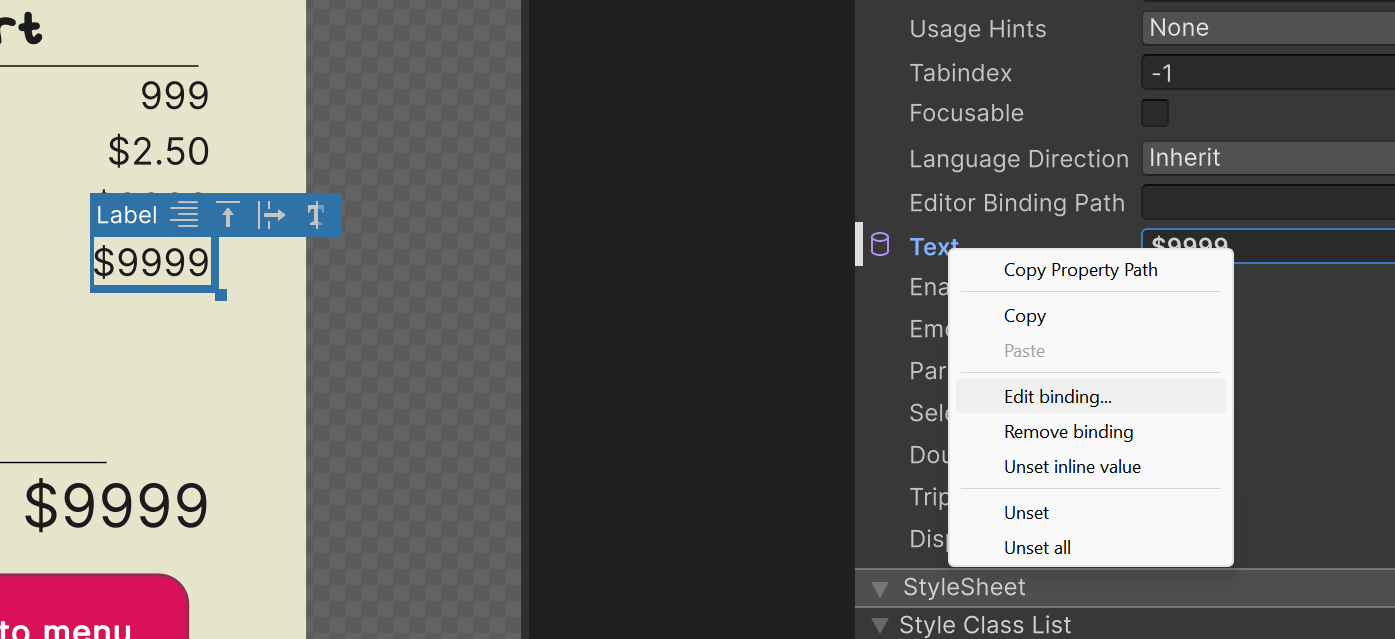
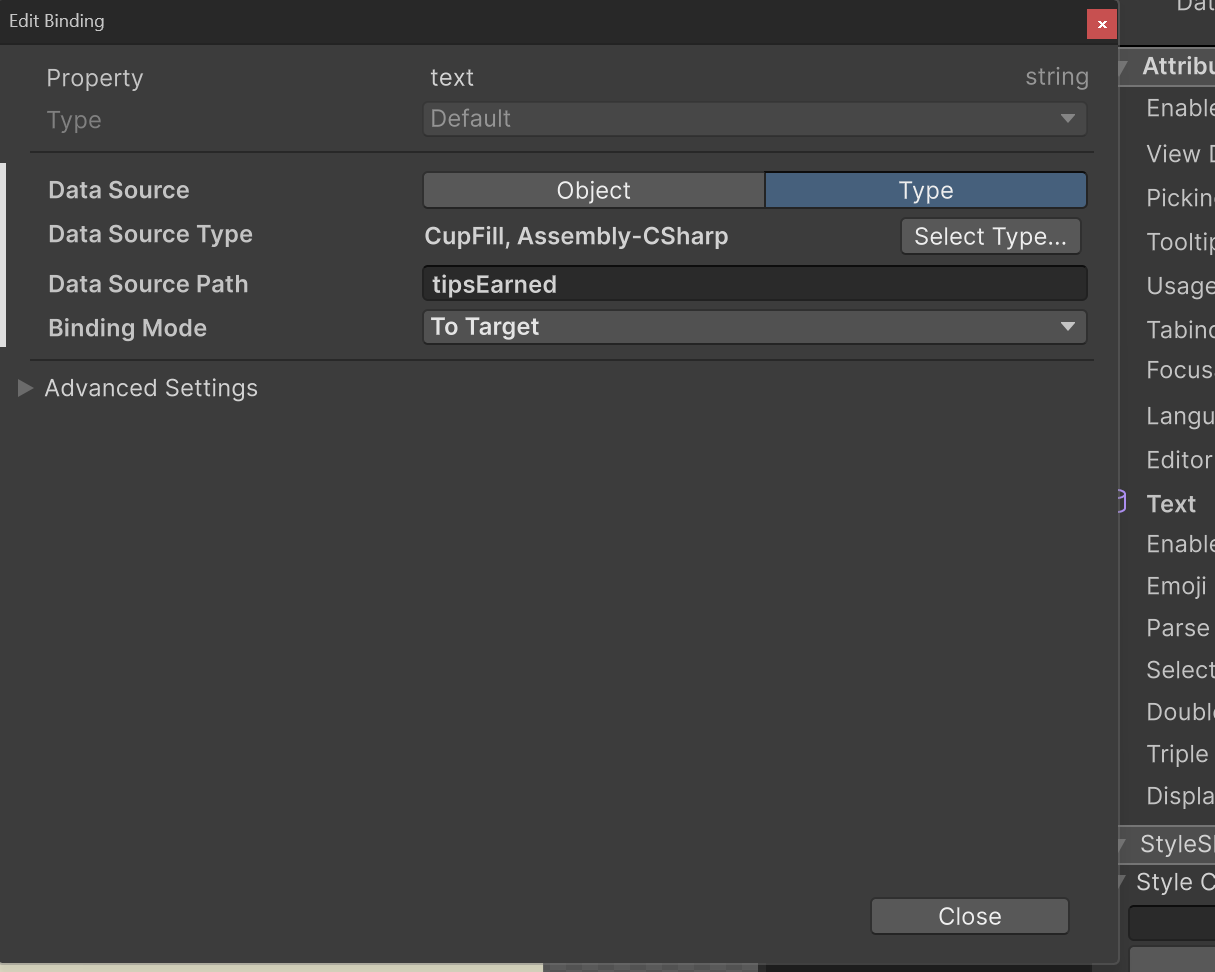
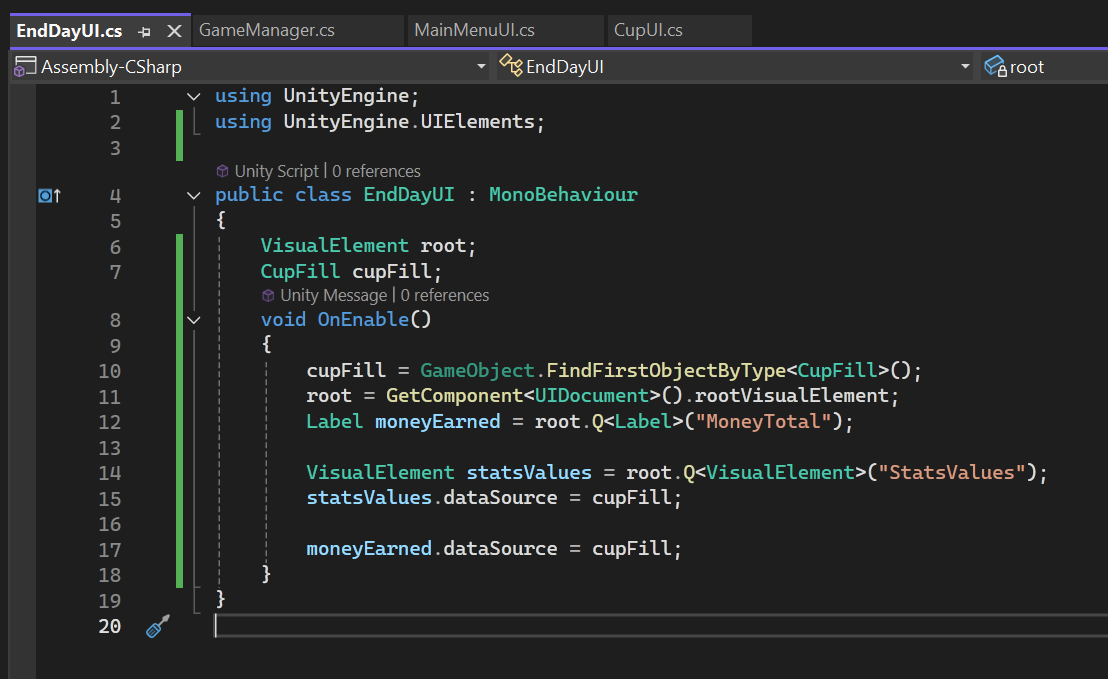
Then I make a new script for the EndDayUI and add code to add cupFill as a dataSource:
Now I can just test it by hitting play and manually hiding and showing the end screen:
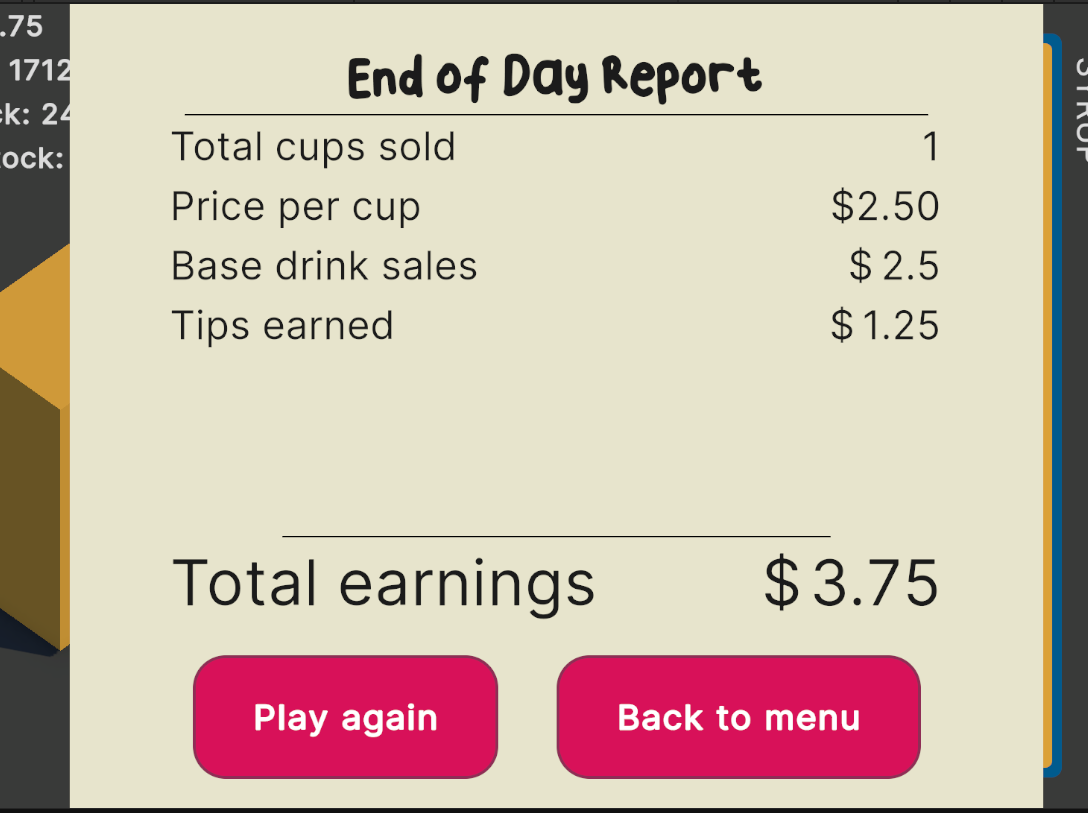
Hooked up nicely! I have to add dollar signs to the start of those data bound labels so it’s clear that it’s money now. The simplest way is to just add extra $ signs in labels before the labels that are data bound and it is doing the job.
Now for the final task:
Showing the end screen when it’s game over
I actually want it to animate in, but for now let’s just get the game to get to a game over state. I’ve decided it will be when you don’t have enough ingredients for 1 cup, and I’ve also added leeway on filling the cup. It can now be 95% of the way full so you don’t need ultra precision.
The steps for this will be:
- add check for game over conditions method to call in update
- if it matches conditions, set state to game over
- show end of day screen
- make the buttons on the end of day report work
Check the game over conditions
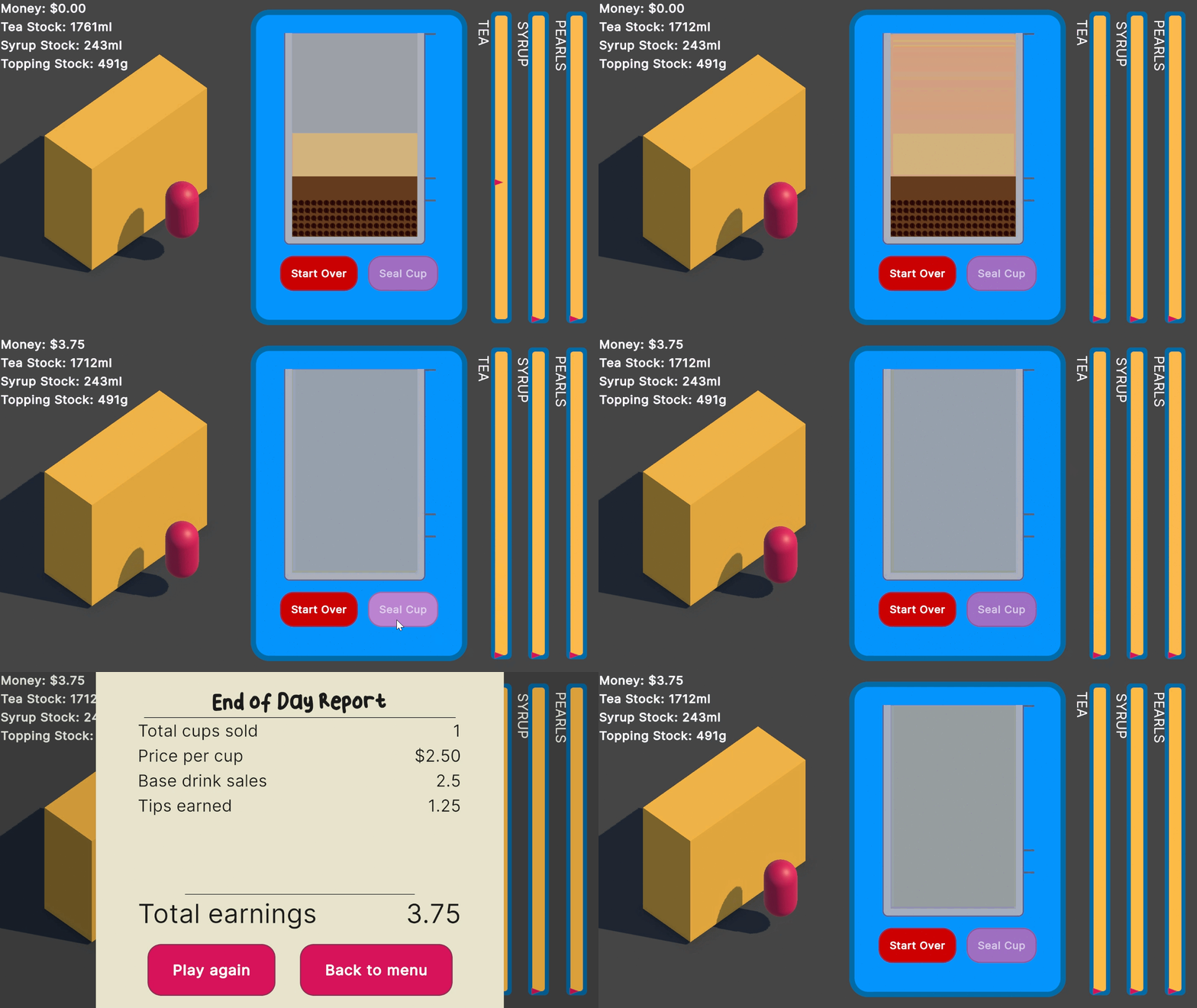
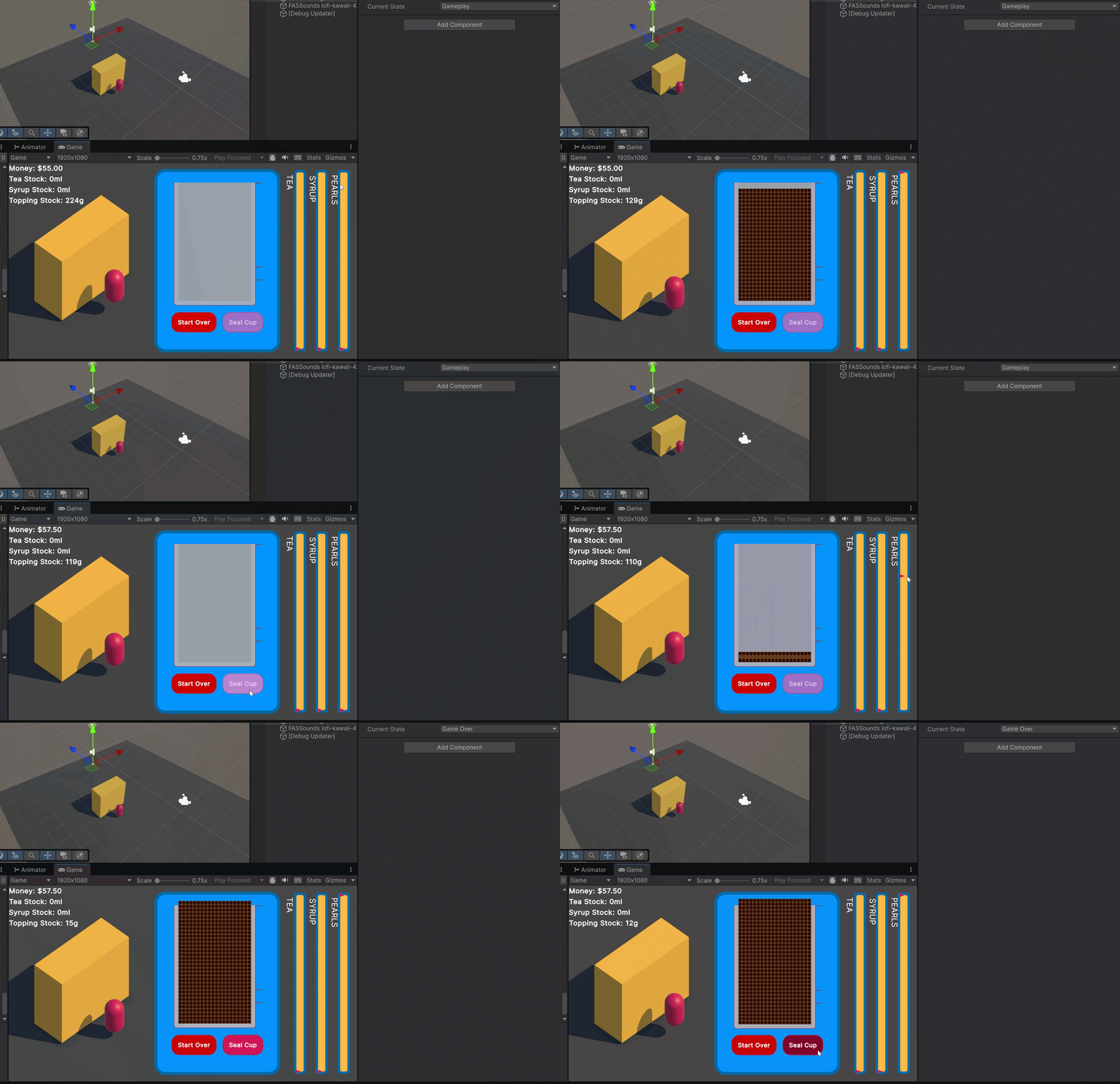
The condition will be (teaStock + syrupStock + toppingStock) < cupCapacity * 0.95f. I first tried to put it in the Update() method but it actually turned into Game over while I was filling a cup like so:
Show end of day screen
I think it should go into the ResetCup() Function because the stock after each reset is how much needs to be checked against the cup capacity. And look at it go:
Play testing it myself I think the stock amount is too high. I made it so you can make about 20 cups but I’m going to half it before I give it over to play testers!
I decided to give animating it in a little go and with a few hitches from trying to add/remove classes with % on it (I needed to do it in the GeometryChanged event) I have this:
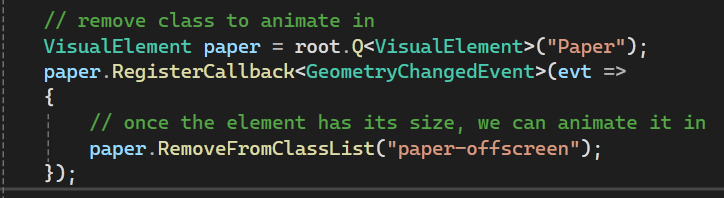
The class being removed had a 100% Y translate with an transition and delay. I never did many animations in CSS but this is pretty close. The result:
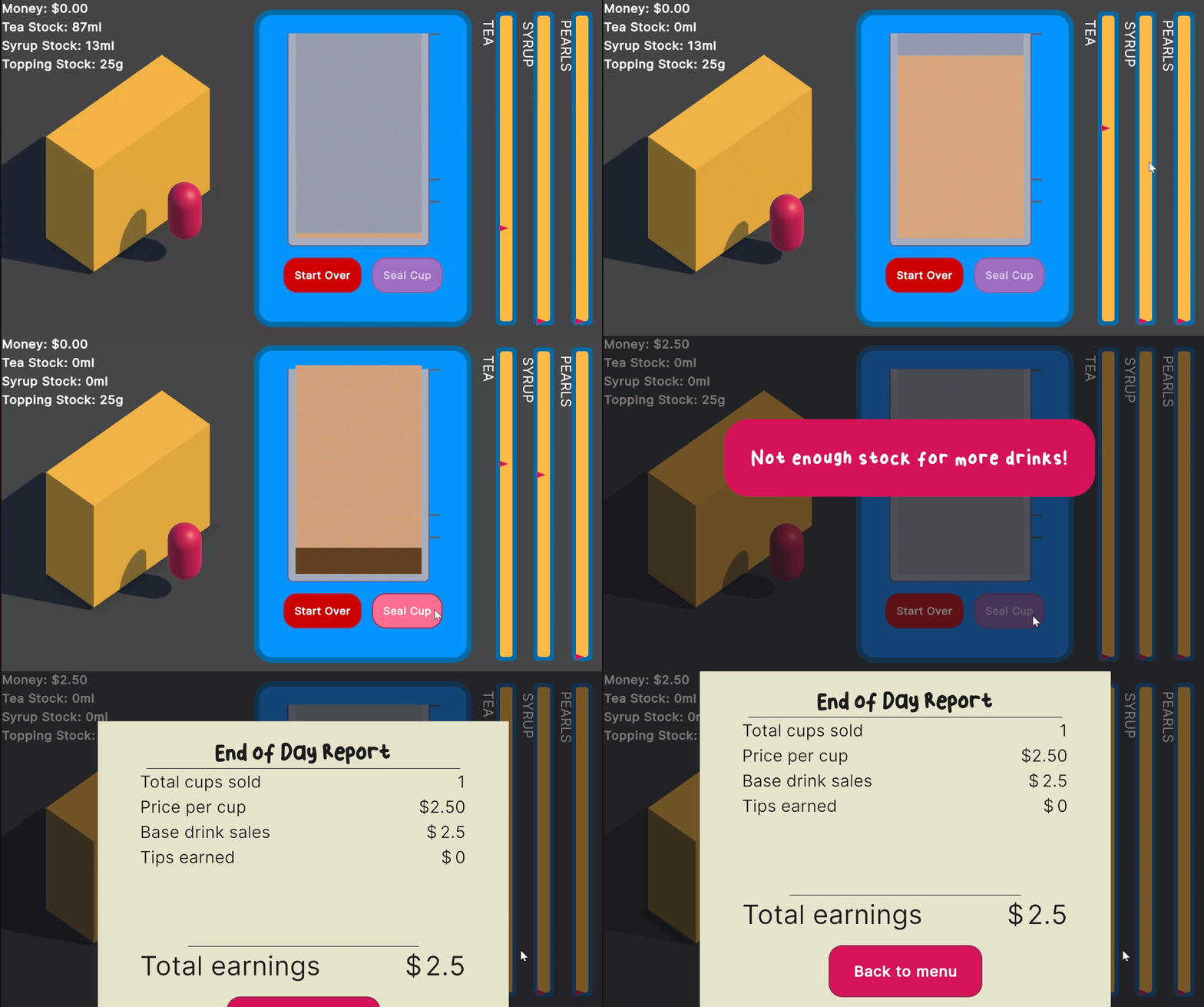
I’m pretty happy with this! I even threw in a little receipt printing sound effect too.
Make buttons on end of day screen work
Last thing is to go back to the start screen when you click the back button. I got rid of the Play again button because I haven’t done anything to rest the state of the game. This will do for now:
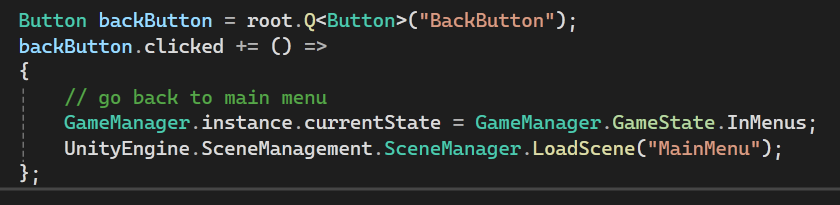
With that I have a playable demo! I didn’t think I would have it done by today realistically but I wa really brutal cutting stuff out. I just wanna get some feedback before I invest more time into something that isn’t really fun.
I went to build the game to put on itch.io bu there are issues when the Game Manager doesn’t have access to the EndDayUI from the start screen 💀 Seems like I don’t need the GameManager in the start screen and that should fix it. I also needed to get rid of the DontDestroyOnLoad from the GameManager! Now I can build it and upload it.
Play the prototype
You can play the prototype at:
password: boba
What’s next:
I want to add the following:
- Day timer
- Order timer
- Spill conditions
- Recipe deviation penalties
I do want to hear feedback too though 🙏 I’m curious to hear what people think. I don’t know if it’s fun or not since I have just play tested it all while making it.